
How to Securely Share Documents in 2026
Discover how to securely share documents with end-to-end encryption, access controls, and link expiration for ultimate safety.
July 22, 2026 · 6 min read

The most secure way to share documents is through a dedicated platform that uses end-to-end encryption, access controls, and link expiration rather than a plain email attachment. Email caps file sizes at roughly 25MB and leaves copies scattered across servers you cannot touch after the fact. Dedicated platforms let you revoke access, set expiration dates, and track who opened what. Here is what that looks like in practice:
- End-to-end encryption and zero-knowledge architecture encrypt your file on your device before it ever reaches the server, so even the platform cannot read it.
- Password protection plus link expiration give recipients a time-limited window and require a passphrase to open the file.
- Audit trails and access revocation let you see who opened a document and cut off access instantly if something goes wrong.
- No-account sharing (available on tools like WeTransfer) removes friction for recipients while still protecting the file with expiring links.
- Platforms to consider: Dropbox, WeTransfer, Microsoft OneDrive, and Dropbox Transfer each cover a different slice of this space, from casual one-off transfers to enterprise compliance.
How do the leading secure document sharing platforms compare?
Choosing between platforms comes down to four things: how the file is encrypted, what access controls you get, how large a file you can send, and whether your recipient needs an account. The table below maps the key differences.
| Platform | Encryption | Access controls | File size limit | Account required (recipient) | Best for |
|---|---|---|---|---|---|
| Dropbox | AES-256 at rest, TLS in transit | Password, link expiration, revocation, audit logs | Up to 2GB (free), 100GB+ (paid) | No | Teams and professionals needing scalable storage |
| WeTransfer | TLS in transit, AES-256 at rest | Password protection, expiring links (Pro) | 2GB (free) | No | Individuals and ad-hoc sharing |
| Dropbox Transfer | AES-256 at rest, TLS in transit | Expiration, revocation, download tracking | Up to 100GB (Business) | No | Large file delivery with delivery confirmation |
| Microsoft OneDrive | AES-256 at rest, TLS in transit | MFA, granular permissions, audit logs, HIPAA/GDPR compliance | — | No | Microsoft 365 users needing enterprise controls |
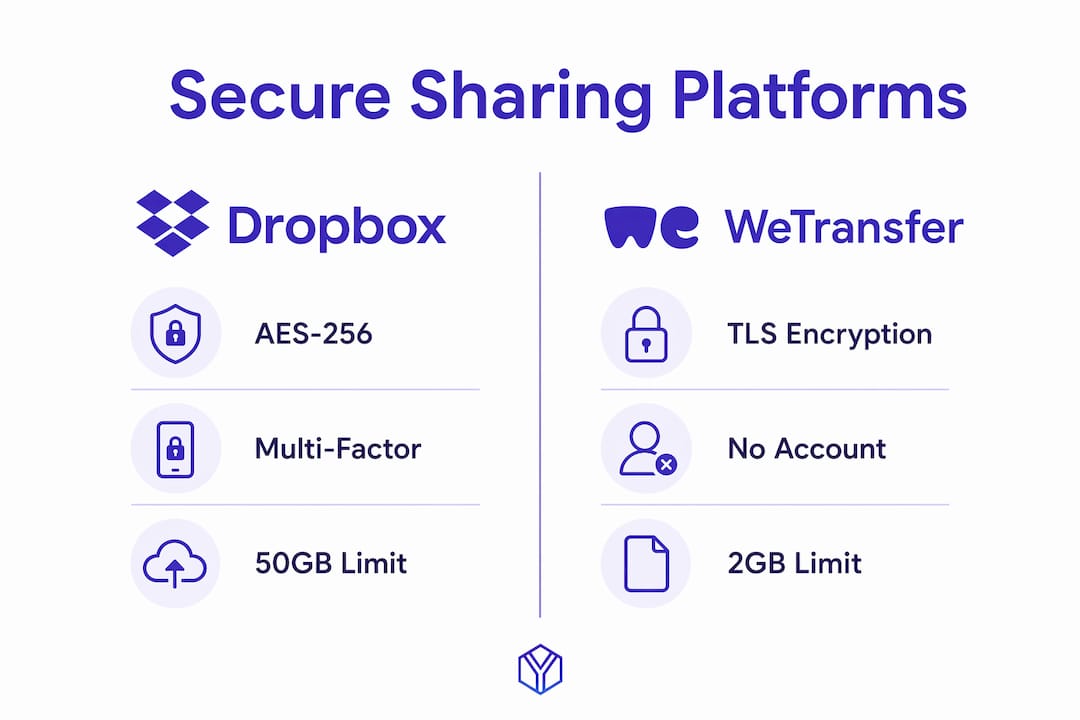
Dropbox covers the broadest general use case. AES-256 encryption at rest and TLS in transit are table stakes here; what sets Dropbox apart is the audit log depth and its ISO 27001 certification, which matters if you work in a regulated industry. Paid plans unlock password-protected shared links and detailed access history.

WeTransfer wins on simplicity. Recipients get a link, click it, and download. No account, no friction. The free tier sends files up to 2GB with a seven-day expiration. WeTransfer Pro adds password protection and longer expiration windows, which covers most individual and creative-professional use cases. The tradeoff is that top-tier services purge encrypted files after link expiration, and WeTransfer’s data retention practices are less granular than enterprise alternatives.
Dropbox Transfer is a separate product from Dropbox’s standard shared folders. It is purpose-built for one-way delivery of large files, up to 100GB on Business plans, with download notifications and the ability to revoke a transfer after sending. Think of it as a tracked package rather than a shared drawer.
Microsoft OneDrive, when paired with Microsoft 365, gives compliance teams the most control. SharePoint and OneDrive together act as a single source of truth for shared files, with instant updates and revocations replacing scattered email copies. OneDrive meets HIPAA, GDPR, and FedRAMP requirements out of the box, which is why it dominates in healthcare and government contexts.

How to choose the right secure document sharing service
The right platform depends on your threat model, not just your file size.
- Prioritize zero-knowledge encryption if you handle legal, medical, or financial documents. Zero-knowledge architecture means the provider cannot decrypt your files even under a subpoena.
- Check whether recipients need an account. For external clients or investors, a no-account link is far less friction. WeTransfer and Dropbox Transfer both support this.
- Match file size limits to your actual files. A 50-slide pitch deck with embedded video can easily hit 500MB. Confirm the platform’s limit before you commit.
- Verify compliance certifications if your industry requires it. ISO 27001, SOC 2 Type II, HIPAA, and GDPR alignment are the benchmarks to look for.
- Look for audit trails if accountability matters. Knowing that a document was opened, when, and by whom is critical for contract negotiations, due diligence, and compliance reviews.
- Consider integrations. Microsoft OneDrive plugs directly into Teams, Outlook, and SharePoint. Dropbox connects to Slack, Zoom, and Google Workspace. Friction in the workflow means people find workarounds, and workarounds are where security breaks down.
Pro Tip: Never send a document password in the same email as the document itself. Separating the password channel from the file channel, via a phone call, encrypted message, or a separate email thread, is the single most common security gap that professionals overlook.
Password-protecting a PDF is a baseline step, but combining file-level encryption with a secure distribution platform gives you defense in depth. A password alone does not prevent copying or editing once the file is open unless you also set permission restrictions.
What makes BabyLoveRaise different for startup fundraising?
General secure sharing tools treat a pitch deck like any other file. BabyLoveRaise treats it like a fundraising instrument, because that is exactly what it is.
The platform gives founders a hosted raise room rather than a raw file link. When an investor opens the deck, the founder gets notified immediately. Per-slide engagement data shows which slides held attention and which got skimmed, turning the silence after a send into something you can actually act on.
- Three link registers: first-send, forwardable, and private links give founders control over how the deck travels.
- Measured watermarks on downloads tie each copy to a specific recipient, deterring leaks without blocking access.
- Permanent archive when the raise closes, so the room does not disappear behind a paywall.
- Priced per raise, not per seat forever, which fits the fundraising lifecycle rather than a recurring SaaS subscription.
- Operator tier for fractional CFOs and advisory firms running multiple client raises under a firm-branded room.
Digital watermarking does not replace encryption, but it adds an accountability layer that pure encryption cannot provide. BabyLoveRaise combines both, alongside per-slide analytics that no general-purpose file sharing tool offers.
BabyLoveRaise: a different kind of secure sharing for founders
The platforms compared above are excellent for general document security. BabyLoveRaise is built for a specific moment: the fundraise.
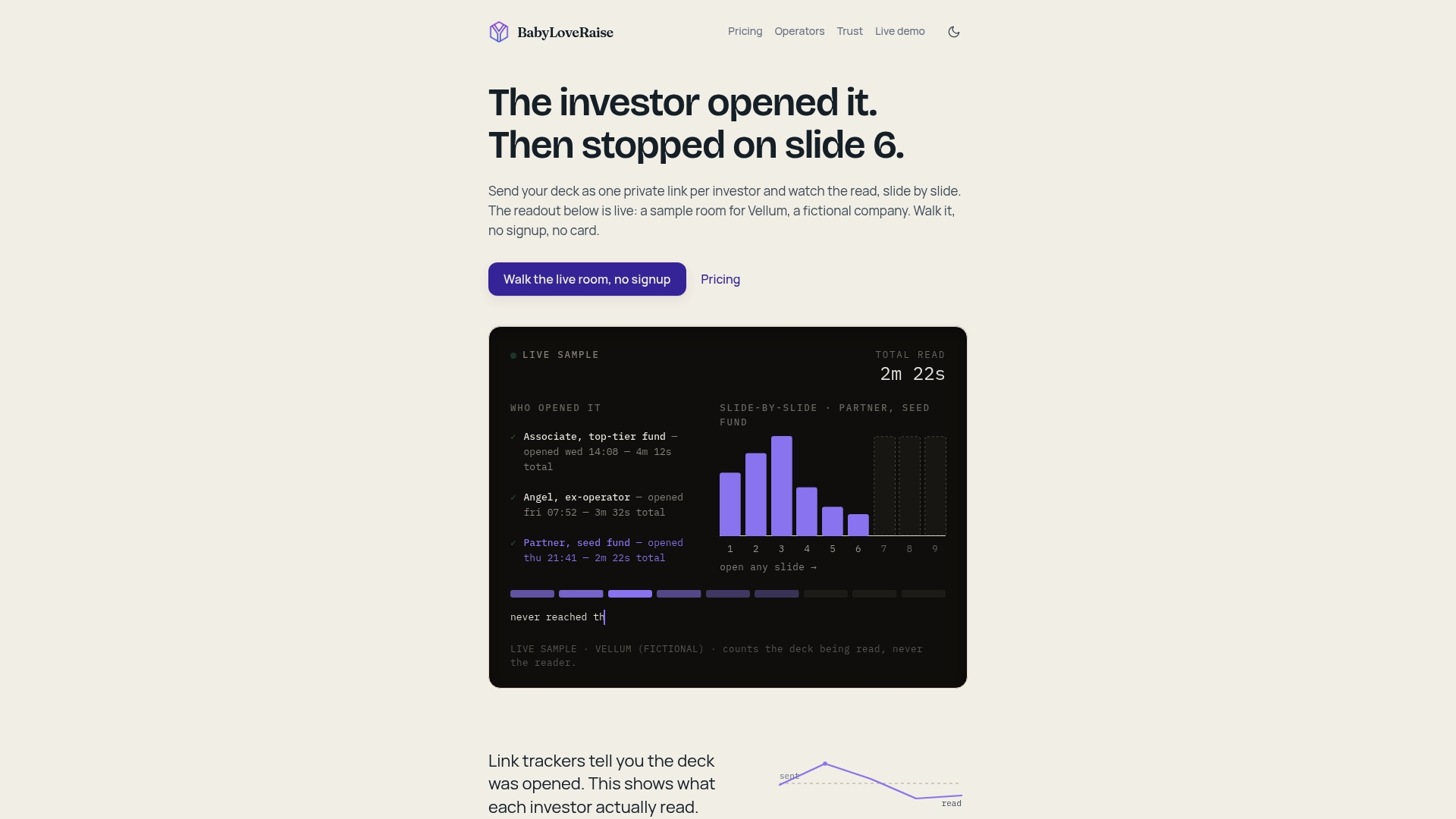
If you are a founder sending a pitch deck to investors, the question is not just “did they receive it?” It is “did they read it, which slides landed, and who is worth following up with?” BabyLoveRaise answers all three. The raise room pricing is structured per raise rather than as a monthly seat fee, so you pay for the raise cycle, not forever. For founders who want hands-on help, optional concierge services cover pitch deck editorial passes and narrative build maps. It is a different class of tool than Dropbox or WeTransfer, and it is worth considering alongside them if your document is a pitch deck headed to investors.
Key Takeaways
Dedicated secure platforms with end-to-end encryption, access controls, and audit trails protect documents far better than email attachments, and the right choice depends on your use case, compliance needs, and recipient experience.
| Point | Details |
|---|---|
| Email attachments are not secure enough | Email caps file sizes and cannot revoke access after sending. |
| Zero-knowledge encryption is the gold standard | It prevents even the platform from reading your files, critical for legal or financial documents. |
| Separate your password from your file | Always send the document password through a different channel to block interception. |
| Match the platform to your compliance needs | OneDrive covers HIPAA and GDPR; Dropbox holds ISO 27001; verify before choosing. |
| BabyLoveRaise for pitch deck sharing | Founders get per-slide engagement analytics, measured watermarks, and raise-cycle pricing. |