
How to Track Deck Forwarding for Founders and Advisors
Learn how to effectively track deck forwarding to enhance investor engagement, capture critical feedback, and secure more meetings.
August 14, 2026 · 11 min read

Use per-investor tracked links inside a raise room to see who opened your deck, which slides they read, and whether they forwarded it to a partner. SheetVenture identifies six signals every founder should capture: per-slide view time, total session duration, completion rate, forwarding activity, return visits, and drop-off points. The average investor spends about 3 minutes 21 seconds on a deck, and sessions that cross 4 minutes correlate strongly with meeting requests.
The five must-capture signals for any instrumented raise:
- First-read notification — the moment an investor opens the link for the first time
- Per-slide dwell time — seconds spent on each slide, not just total session length
- Completion rate — whether the viewer reached the last slide
- Forwarding detection — a new viewer identity or device opening the same link
- Return visits — the investor coming back, often the strongest buying signal of all
Create one tracked link per investor, enable forwarding detection, and check your dashboard before every follow-up call. BabyLoveRaise is built specifically for this workflow.
Key Takeaways
Tracked raise-room links, per-slide dwell, and forwarding detection together give founders and advisors the signal clarity to follow up with the right investors at the right moment.
| Point | Details |
|---|---|
| Use tracked links, not PDFs | Hosted links are the only reliable way to capture opens, forwards, and per-slide engagement. |
| Prioritize Tier 1 signals | Multiple sessions + full completion + forwarding within 7 days warrants a same-day follow-up. |
| Benchmark your sessions | Decks that lead to meetings average 3–4 minutes; sessions under 60 seconds need a framing check, not a follow-up. |
| A/B test at the slide level | Per-slide dwell isolates which single slide is losing attention; test one change at a time. |
| BabyLoveRaise for raise-specific tracking | Per-raise pricing, Operator console for advisors, and forwarding detection built into every room. |
Table of Contents
- What does tracking deck forwarding actually measure?
- How does raise-room tracking detect opens, forwards, and slide engagement?
- How to set up your raise room and send tracked links
- How to read the data and run your follow-up playbook
- Security controls and privacy-respecting tracking
- Pricing models for founders and advisory firms
- Role-based workflows where forwarding tracking changes outcomes
- What deck tracking cannot tell you, and how to avoid misreads
- Operator notes on what actually recurs across raises
- BabyLoveRaise gives you a raise room built for this
- Sources
What does tracking deck forwarding actually measure?
Per-slide dwell, forwarding detection, and return visits are the three signals that separate a genuinely interested investor from a polite opener. Each metric tells a different part of the story.
- Per-slide dwell — extended time on your financials or market-size slide suggests diligence, not casual browsing
- Total session duration — a benchmark: decks that lead to meetings average 3–4 minutes of viewing
- Completion rate — finishing the deck is a low bar, but skipping the last three slides is a signal worth noting
- Forwarding detection — a new viewer opening your link from a different device or email address; internal forwarding often means someone is championing the deal
- Return visits — a second or third session, especially within 48 hours, is the strongest behavioral predictor of a follow-up ask
- Drop-off slide — the slide where most viewers stop; a consistent drop-off on slide 4 is a content problem, not a cold-market problem
Pro Tip: Combine signals before acting. A 4-minute full completion plus a same-day return visit is a Tier 1 lead. Either signal alone is interesting; together they justify an immediate, personalized follow-up.
How does raise-room tracking detect opens, forwards, and slide engagement?
Hosted tracked links are the only reliable method. Email attachments give you nothing. When your deck lives at a unique URL inside a raise room, every viewer event is logged server-side: page visibility changes, session timestamps, and viewer identity from email gating.
Per-slide timing works by recording when a slide enters and leaves the viewport. The platform logs the delta in seconds. Forwarding is inferred rather than directly observed: a new viewer identity, a different IP address, or a re-open event from an email address that never received the original link all flag a likely forward.
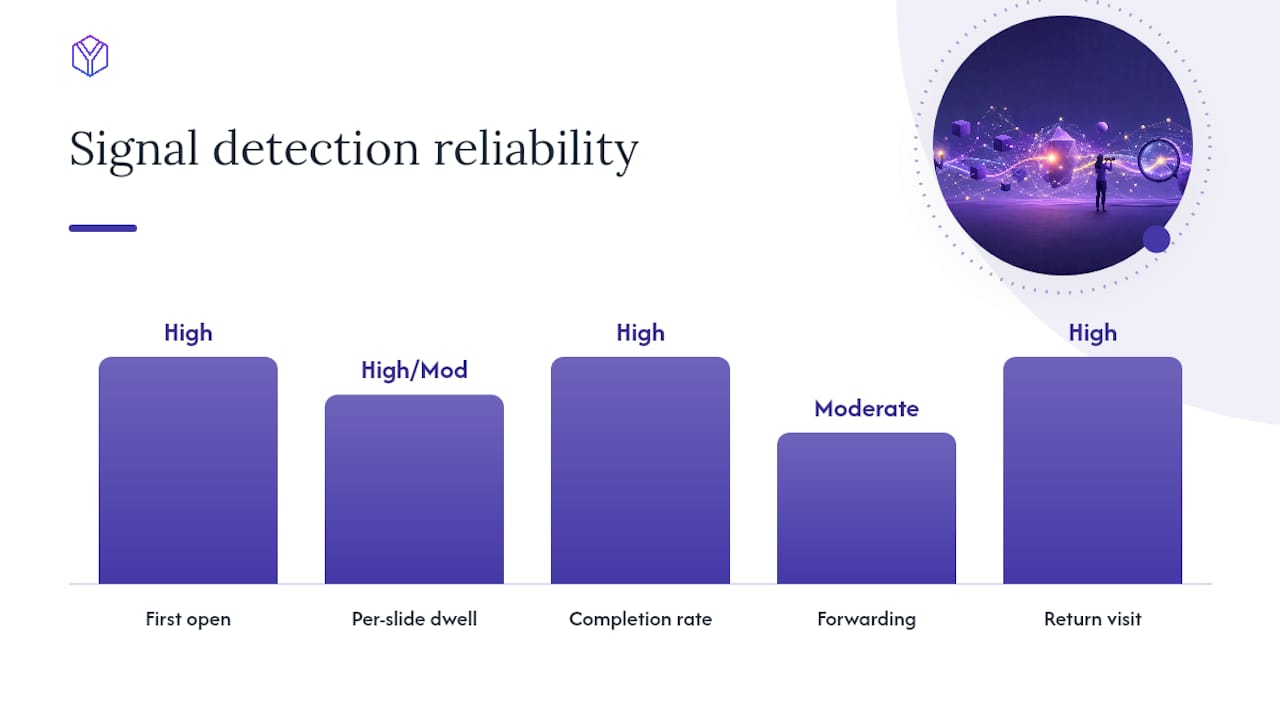
| Signal | Detection method | Typical reliability |
|---|---|---|
| First open | URL request + email gate | High |
| Per-slide dwell | Visibility API timestamps | High (desktop), moderate (mobile) |
| Completion rate | Last-slide load event | High |
| Forwarding | New viewer identity / device | Moderate |
| Return visit | Repeat session from same identity | High |
Known limitations: Downloads break tracking entirely. Corporate proxies can mask IP changes, making forwarding harder to detect. Multi-tab behavior inflates dwell time. Co-viewing (two people at one screen) registers as one viewer. Mitigations: disable downloads, require email capture before viewing, and use measured watermarks so any downloaded copy is still attributable.
How to set up your raise room and send tracked links
A clean setup takes under 30 minutes. Follow this sequence before your first outreach email goes out.
- Create the raise room — one room per raise, not per investor
- Upload the master deck — keep one canonical version; update it in place rather than creating new files
- Enable version control — so you know which investors saw which iteration
- Choose your link type — per-investor links for warm intros, campaign links for broader outreach batches
- Enable email capture — required for forwarding detection to work reliably
- Set watermarking — dynamic watermarks stamp the viewer’s email on downloaded copies
- Disable downloads (recommended for early-stage outreach) — or allow with watermark if the investor explicitly requests a copy
- Run a test send — open the link yourself, confirm the first-read notification fires, check that watermarks render, and verify per-slide data appears in the dashboard
Link types and when to use each:
- Per-investor link — warm intros, known partners; gives you clean attribution per person
- Forwardable link — intentionally shareable; useful when you want a champion to pass it along and you want to see who receives it
- Private link — single-use or NDA-gated; for sensitive late-stage conversations
For warm intros, keep the subject line short: “[Mutual contact] suggested I share our deck — [Company] is raising.” For cold outreach, StartupFundraising notes that cold open rates vary widely, while warm intros tend to have substantially higher open rates — the link type matters less than the intro quality.
How to read the data and run your follow-up playbook
Treat your raise like a sales funnel. Track email opens, deck clicks, view time, and meeting conversion rates to find where the funnel leaks. SendNow’s analytics framework layers AI engagement scoring over raw metrics to rank investors by behavioral signals and pair each score with a suggested follow-up action.
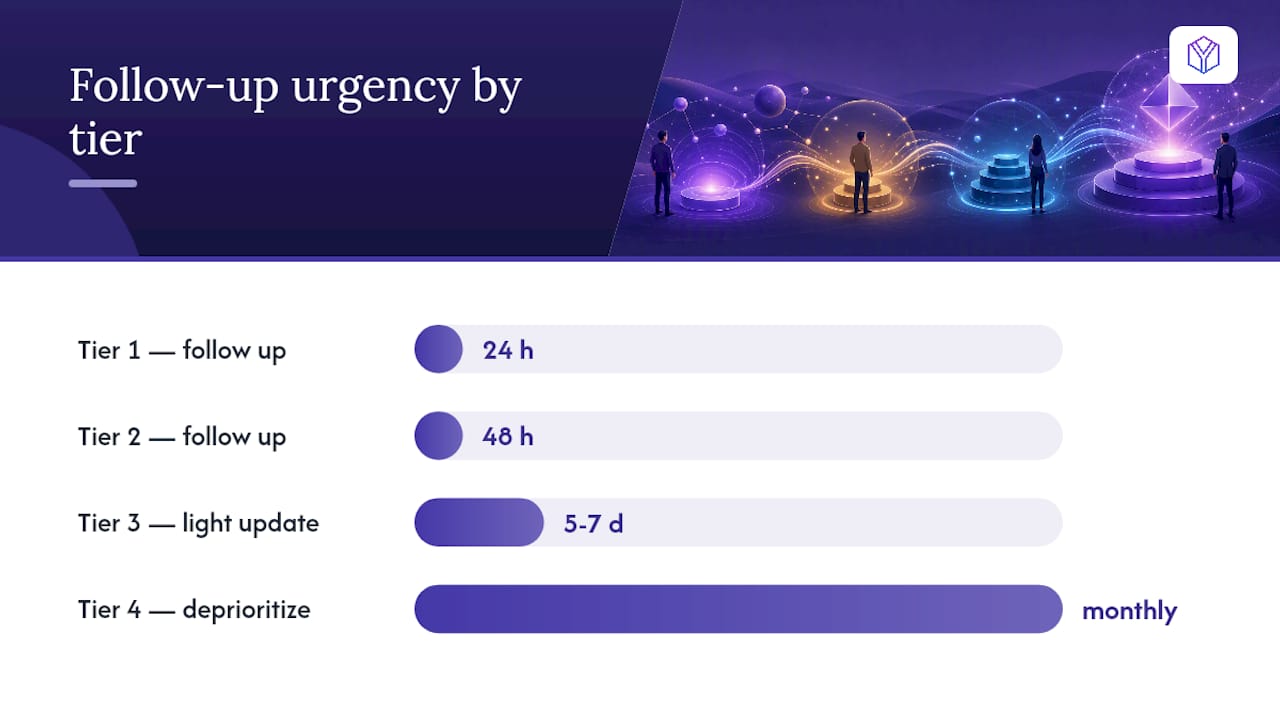
Tier system based on combined signals:
- Tier 1 — multiple sessions + full completion + forwarding within 7 days → follow up within 24 hours with a specific ask (intro call, partner meeting)
- Tier 2 — full completion, no forwarding, one session → follow up within 48 hours with a value-add (relevant data point, press mention)
- Tier 3 — partial view (past slide 5), no return → send a light update in 5–7 days
- Tier 4 — opened under 60 seconds or never opened → deprioritize; move to a monthly update cadence
Three follow-up templates:
- Value-add follow-up (Tier 1, 24 hours): “Wanted to share a quick update — we closed [X] in the past week. Happy to set up 20 minutes with [Partner name] if the timing works.”
- Data-led nudge (Tier 2, 48 hours): “Noticed you had a chance to look at the deck. We’re seeing strong early traction on [specific metric] — would love your reaction.”
- Traction update (Tier 3, 7 days): “Quick update since you last looked: [new milestone]. Still happy to connect if the thesis fits.”
For A/B testing: create two deck variants with one slide changed, assign each to a separate investor cohort, and compare per-slide dwell on that slide across cohorts. Per-slide dwell is more diagnostic than total time when you want to improve a specific slide.
Security controls and privacy-respecting tracking
Enable these features before your first send:
- Dynamic watermarks — stamp viewer email on every slide of downloaded copies
- Disable downloads — the default for early outreach
- Email gating — required before the viewer can access the deck
- Per-link expiry — set a link to expire after 14 or 30 days
- Revoke access — pull a link instantly if an investor passes or a relationship sours
- Screenshot protection — reduces casual screen-capture sharing
On privacy: BabyLoveRaise’s tracking approach reports on the document, not on the individual. The right framing in any investor communication is: “We use a tracked link so we know when the deck has been reviewed and can follow up at the right moment.” That is transparent and professional. Describing per-investor dwell times in a follow-up email is not.
U.S. data-handling norms: avoid storing geolocation data beyond what is needed for forwarding detection, and do not use behavioral tracking language in any investor-facing communication.
Pricing models for founders and advisory firms
Per-raise pricing fits the fundraising cycle better than a per-seat subscription. A raise is intense and finite — typically 3–6 months. Paying per seat for 12 months to run a 90-day raise inflates cost with no added value.
| Buyer type | Best pricing shape | Key reason |
|---|---|---|
| Solo founder, one raise | Per-raise room | Pay only for the active raise period |
| Fractional CFO, 4+ clients | Operator console | Multi-room management, white-label, reduced per-raise fees |
| Advisory firm, ongoing | Operator + concierge | Bundled editorial passes save per-client setup time |
Operator-tier features that directly save advisor time:
- Multi-room dashboard across all client raises in one view
- White-label branding so rooms carry the firm’s identity
- Team seats for associates to monitor rooms without full account access
- Reduced per-raise fees at volume
- Concierge add-ons: editorial deck passes and Build Map narrative artifacts for clients who need hands-on help
BabyLoveRaise pricing covers per-raise and Operator plans in detail.
Role-based workflows where forwarding tracking changes outcomes
Scenario 1 — Warm intro sequence (solo founder)
Send a per-investor link to 10 warm contacts. Within 48 hours, two investors trigger Tier 1 signals: full completion plus a forwarded link opened by a new viewer. Follow up with both immediately and ask for a partner intro. The forwarded viewer gets their own tracked link.
Scenario 2 — Broader targeted outreach (seed round)
Send forwardable links to a 50-investor batch. Use the dashboard to filter by completion rate. Investors who finished the deck but haven’t returned get a traction update at day 7. Investors who forwarded internally get a direct follow-up asking who else on the team reviewed it.
Scenario 3 — Advisor-run Operator workflow
A fractional CFO running four client raises monitors all rooms from one Operator console. Each client’s room is white-labeled. When a Tier 1 signal fires in any room, the CFO’s dashboard flags it. The CFO packages a weekly engagement report for each client: which investors are active, which slides are underperforming, and which follow-ups are overdue.
Role checklists:
- Founders: check the dashboard before every investor call; escalate any forwarding event to a same-day follow-up
- Fractional CFOs: run a Monday morning review of all rooms; flag Tier 1 leads to founders by 10 AM
- Advisors: deliver a weekly one-page engagement summary per client; use per-slide drop-off data to recommend deck edits
What deck tracking cannot tell you, and how to avoid misreads
Tracking signals are behavioral proxies, not intent confirmations. A 6-minute session could be an investor who loved the deck or one who got interrupted and left the tab open.
Do not:
- Mention raw per-investor dwell times in follow-up emails
- Treat a sub-60-second view as a definitive pass without checking whether the link even loaded correctly
- Post tracked screenshots or engagement data publicly
- Follow up more than twice without a new data trigger or new content reason
Do:
- Correlate deck signals with email reply behavior and meeting requests before escalating
- Weight return visits and forwarding more heavily than total session time
- Move from data to a phone call when a Tier 1 signal fires and the investor hasn’t replied to two emails
- Close the outreach loop after 30 days of silence — a brief, no-pressure final note, then archive
Pro Tip: About 31% of investors close a deck within 10 seconds. A fast close on a cold link is not a rejection — it may mean the subject line didn’t match the thesis. Test a different intro framing before writing off the investor.
Operator notes on what actually recurs across raises
Across multiple client raises, a few patterns show up consistently. The first 48 hours after an outreach batch goes out are the most diagnostic: investors who will engage almost always open within that window. After 72 hours of silence on a warm intro, the probability of an unsolicited open drops sharply.
The most common early filter advisors use: sort by completion rate on day 2, then cross-reference with any forwarding events.
One anonymized example: a founder sent 40 tracked links in a single batch. By day 3, one link had been opened four times across two different email addresses, with full completion on every session. The advisor flagged it as Tier 1 immediately. The founder sent a same-day note asking for a partner intro. A meeting was booked within 24 hours. No other signal in the batch came close.
BabyLoveRaise gives you a raise room built for this
Most document-sharing tools were built for sales teams or legal workflows. BabyLoveRaise is built around the raise itself: first-read notifications, per-slide dwell, forwarding detection, and a dashboard that separates “never opened” from “read everything and passed.”
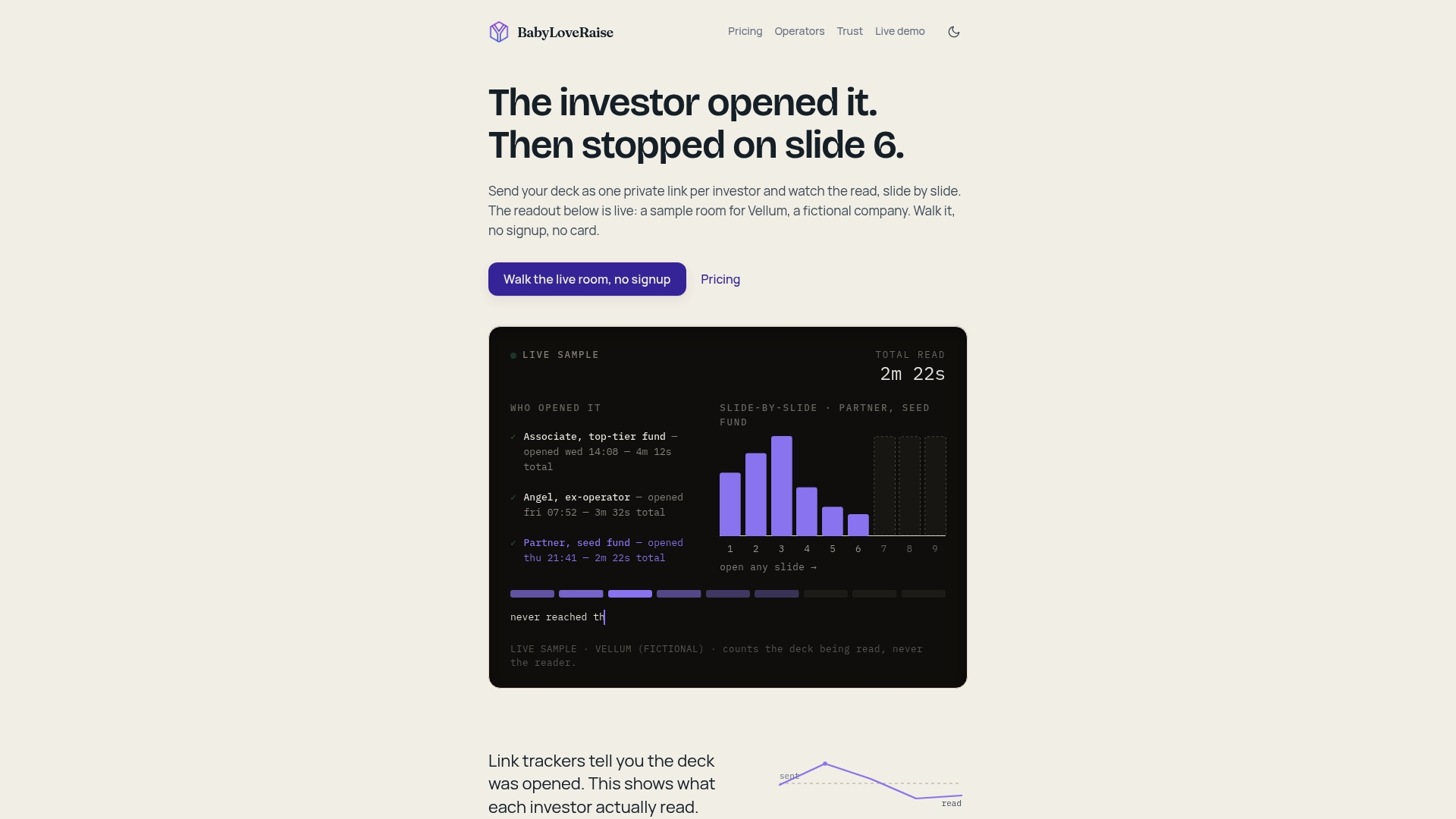
The Operator console lets fractional CFOs and advisory firms run white-labeled rooms across every client raise from one dashboard, at a fraction of virtual-data-room pricing. Per-raise pricing means you pay for the raise, not a 12-month seat you’ll use for 90 days. Optional concierge services cover editorial deck passes and Build Map narrative artifacts for founders who want hands-on support.
Visit BabyLoveRaise to set up your raise room, choose your link type, and send your first tracked link today.
Sources
- What presentation analytics track investor engagement
- How to Measure Investor Engagement and Close Your Round
- How to Know If an Investor Opened Your Pitch Deck — SendNow Blog