
Get a Download Notification for Your Pitch Deck PDF
Get instant alerts when your pitch deck PDF is opened. Track views and engagement to impress investors and refine your approach.
August 19, 2026 · 11 min read

Yes. If you host your pitch deck behind a tracking-enabled viewer or a raise room instead of emailing a bare PDF, you get an instant alert the moment someone opens it, plus per-slide attention data showing exactly how far they read. A plain PDF attachment tells you nothing once it leaves your outbox.
Here’s what founders should expect from that alert:
- A first-open notification the second an investor clicks the link
- A separate download event if they save a local copy
- Per-slide dwell time showing which pages held attention
- Session counts, so you know if they came back a second or third time
- Forward detection, flagging when a link gets passed to a colleague
One caveat worth stating plainly: this is document-level tracking, not personal surveillance. You’re measuring what happens to a file, and privacy laws like GDPR still apply to how you collect and store any identifying data. BabyLoveRaise provides startup founders a hosted raise room for pitch decks with detailed engagement analytics specific to fundraising, including who opened the deck, how far investors read, and per-slide attention metrics.
Pro Tip: Never send a raw PDF as a first touch. Once it’s downloaded, you lose every future signal, since local files don’t phone home.
Key Takeaways
Reliable pitch-deck tracking depends on hosting the file behind a trackable viewer, prioritizing per-slide dwell time over raw open counts, and matching follow-up timing to the specific read-state an investor triggers.
| Point | Details |
|---|---|
| Skip PDF attachments | A hosted link or raise room generates open events and per-slide data that attachments never can. |
| Watch per-slide dwell, not opens | Long time on traction or financials slides signals more real interest than a fast full scroll. |
| Match follow-up to read-state | Send value-add notes after brief opens, and ask for a call within 48 hours of a read-to-end signal. |
| Layer in security controls | Unique links, NDA gating, and watermarks protect the deck without blocking your engagement data. |
| Choose fundraising-specific tools | BabyLoveRaise prices per raise, differentiates read-states, and archives your room free after close. |
Table of Contents
- How Does PDF Download Notification Tracking Actually Work?
- Which Engagement Metrics Actually Matter?
- What Should You Do When an Investor Opens Your Deck?
- How Do You Set Up Tracking Without Making Mistakes?
- What Mistakes Do Founders Make Reading This Data?
- Why Choose a Fundraising-Specific Raise Room Over a Generic Tracker?
- See How BabyLoveRaise Tracks Your Deck in Real Time
- Frequently Asked Questions
- Sources
How Does PDF Download Notification Tracking Actually Work?
A tracking-enabled viewer works by putting a web page between the investor and your file, instead of handing over the file directly. Every click, page turn, and download request hits a server that logs it, generating open events, per-page timestamps, and session data in real time. A hosted link like this produces far richer signals than an email attachment ever could, because the attachment leaves your control the second it’s sent.
Direct PDF attachments carry zero tracking. Browser-based previews add another wrinkle: some strip tracking pixels or block scripts entirely, which is why a dedicated viewer usually outperforms a generic file-sharing link.
Identity control matters just as much as the tracking mechanism itself:
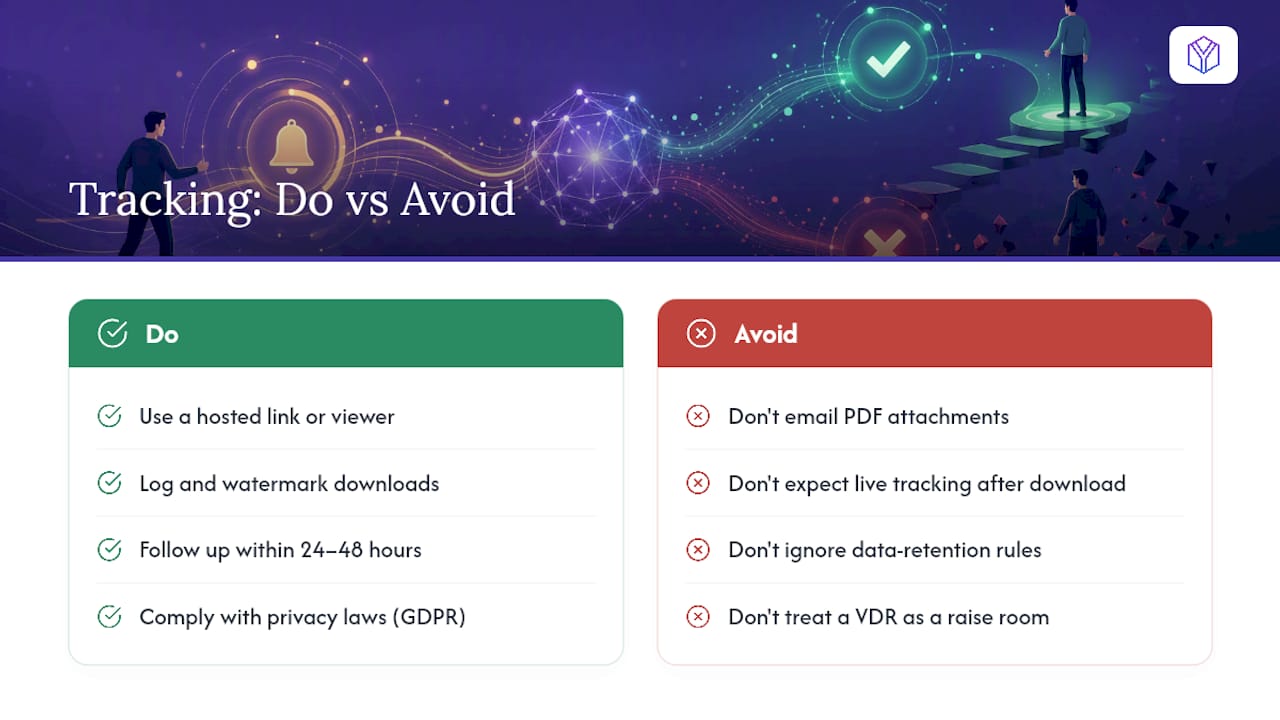
- Generate a unique link per recipient so a forward is detectable instead of anonymous
- Gate access behind an NDA or email capture when the deck contains sensitive financials
- Apply a dynamic watermark to any downloadable copy, which traces leaked files back to the viewer
- Set link expiry so a six-month-old open doesn’t skew your active pipeline
Watermarking and view-only previews cut down leakage, but they also change behavior. Investors read differently when they can’t screenshot or forward freely.
Pro Tip: Set link expiry at 30 to 45 days. Anything older creates stale opens that look like fresh interest but aren’t.
Which Engagement Metrics Actually Matter?
Not every signal deserves the same weight. Founders drowning in dashboard data tend to over-index on raw open counts, which is the least useful number in the whole set.
The metrics that actually predict investor intent:
- First-open timestamp: tells you the deck landed and got noticed, nothing more
- Total time on document: a rough proxy for seriousness, but easy to inflate with an idle tab
- Per-slide dwell time: the strongest signal. Long time on your traction or financials slide beats a fast scroll through the whole deck
- Read-to-end flag: did they reach the last page, or bail at slide six
- Download event: often means they want to review offline or share internally
- Session count: multiple return visits usually beats one long session
- Forward/share detection: a unique link opened from a new device suggests internal circulation
A pattern worth flagging specifically: repeated returns to the deck combined with extended time on your financials page is one of the more reliable early signs of diligence interest, far more telling than a single long open on day one.
Metrics have real limits, though. Offline reading, third-party PDF viewers, and the occasional bot crawler all generate false signals. Combine two or three metrics before drawing a conclusion. One data point alone tells you almost nothing.
What Should You Do When an Investor Opens Your Deck?
Different notification states call for different responses, and treating them all the same wastes your best follow-up windows. Here’s a sequence that maps engagement to action:
- Never opened (after 5+ days): resend with a new subject line or a fresh hook. The original message likely got buried.
- Opened briefly, low dwell time: send one concise value-add note within 48 hours. A single relevant metric or update, nothing long.
- Read-to-end: follow up within 24 to 48 hours with a direct ask for a call. They finished the deck; momentum fades fast after that.
- Downloaded (with NDA captured): reach out immediately. A download after NDA signature usually signals internal review is starting.
- Multiple return sessions: treat as a warm lead and prioritize a meeting request over another email.
A few template starting points:
- Value-add follow-up: “Since you looked at the deck, thought you’d want this update on [specific metric] before we talk further.”
- Read-to-end ask: “Saw you made it through the deck. Do you have 20 minutes this week to talk through the model?”
- Re-engagement after no open: “Following up in case this got buried. Here’s the one-line version: [core traction stat].”
Push every open, download, and forward event into your CRM automatically, and tag investor records by engagement tier. Manual tracking falls apart past a dozen active conversations.
How Do You Set Up Tracking Without Making Mistakes?
A working checklist, in order:
- Finalize one canonical deck version before sending anything out
- Upload it to a tracking-enabled viewer or raise room rather than attaching a PDF
- Generate a unique link per investor, never one shared link for the whole list
- Turn on NDA gating or email capture if the deck includes sensitive financials
- Enable dynamic watermarking on any downloadable version
- Set expiry dates and, where appropriate, disable download entirely for high-risk files
On the integration side, sync engagement events to your CRM through a webhook so tags update automatically instead of by hand. Add UTM parameters when you’re testing different outreach channels, so you know which source actually drove the open. Standardize your link-delivery templates across every investor conversation, since inconsistent formats make your data harder to compare later.
Keep access logs for every viewer. A professional data room’s real-time reports and audit trail matter for due diligence later, not just for your own follow-up timing.
Pro Tip: Build one link-delivery template and reuse it for every investor. Inconsistent formatting is the number one reason CRM tagging breaks down at scale.
What Mistakes Do Founders Make Reading This Data?
The most common mistake is treating open count as a proxy for interest. It isn’t. An investor who opens your deck once and closes it in ten seconds generated the same “opened” event as one who read every page twice.
Other traps worth watching for:
- Ignoring return sessions, which usually matter more than the first open
- Misreading short per-slide dwell as disinterest when the slide is just visually simple
- Failing to account for offline downloads, which stop generating any further data
- Conflating a team forward with genuine internal discussion. Sometimes it’s just an assistant filing the email
Security features change the picture too. A watermarked, view-only preview makes investors read more cautiously and less naturally than an open PDF would, so don’t compare engagement numbers across decks that used different security settings.
Pro Tip: Run a small test: send half your list one subject line and link format, half another. The version with more read-to-end completions, not just opens, is the one to standardize on.
The rule of thumb that saves founders from bad calls: never escalate a relationship on engagement data alone. Pair it with an actual conversation before you read too much into a spike in dwell time.
Why Choose a Fundraising-Specific Raise Room Over a Generic Tracker?
Generic document trackers were built for sales decks and legal contracts, not fundraising. They miss the specific read-states that matter to a founder: the difference between “never opened it” and “read every slide and passed” looks identical in a tool built for something else.
A fundraising-focused raise room should give you:
- Per-slide attention metrics tied specifically to deck sections like traction or the ask
- Clear differentiation between skimmed, read-to-end, and downloaded states
- Per-raise pricing instead of the per-seat model that penalizes a growing investor list
- A white-label operator tier for advisors running multiple client raises
- Concierge support for deck edits when the data shows a section is losing attention
- A permanent archive once the raise closes, rather than a paywall cutoff
Pricing structure is the detail most founders overlook until it costs them. Enterprise VDRs charge per seat, which gets expensive fast once you’re tracking 40 or 50 investors across one raise. A per-raise model scales with the actual event, not the headcount. BabyLoveRaise provides startup founders a hosted raise room for pitch decks with detailed engagement analytics specific to fundraising, including who opened the deck, how far investors read, and per-slide attention metrics.
Pro Tip: If you’re comparing options, weigh what happens to your data after the raise closes. A permanent free archive beats a tool that locks your engagement history behind a renewed subscription.
An Advisor’s Take on Reading Investor Signals
Advisors triage differently once engagement data is in front of them. An investor who spent real time on the financials slide gets an immediate call, not an email. One who skimmed the deck in under a minute goes into a nurture sequence with lighter, less frequent touches. A quick-win tactic worth stealing: after a read-to-end signal, send a single tailored slide summarizing the one metric that matters most to that specific investor’s thesis, not the whole deck again.
See How BabyLoveRaise Tracks Your Deck in Real Time
BabyLoveRaise is the alternative to a generic file-tracking tool built specifically around the fundraising workflow, not sales decks or legal contracts. You get per-slide attention metrics, a clear split between “skimmed” and “read to the last slide,” and pricing tied to the raise itself instead of a per-seat fee that climbs every time you add another investor.
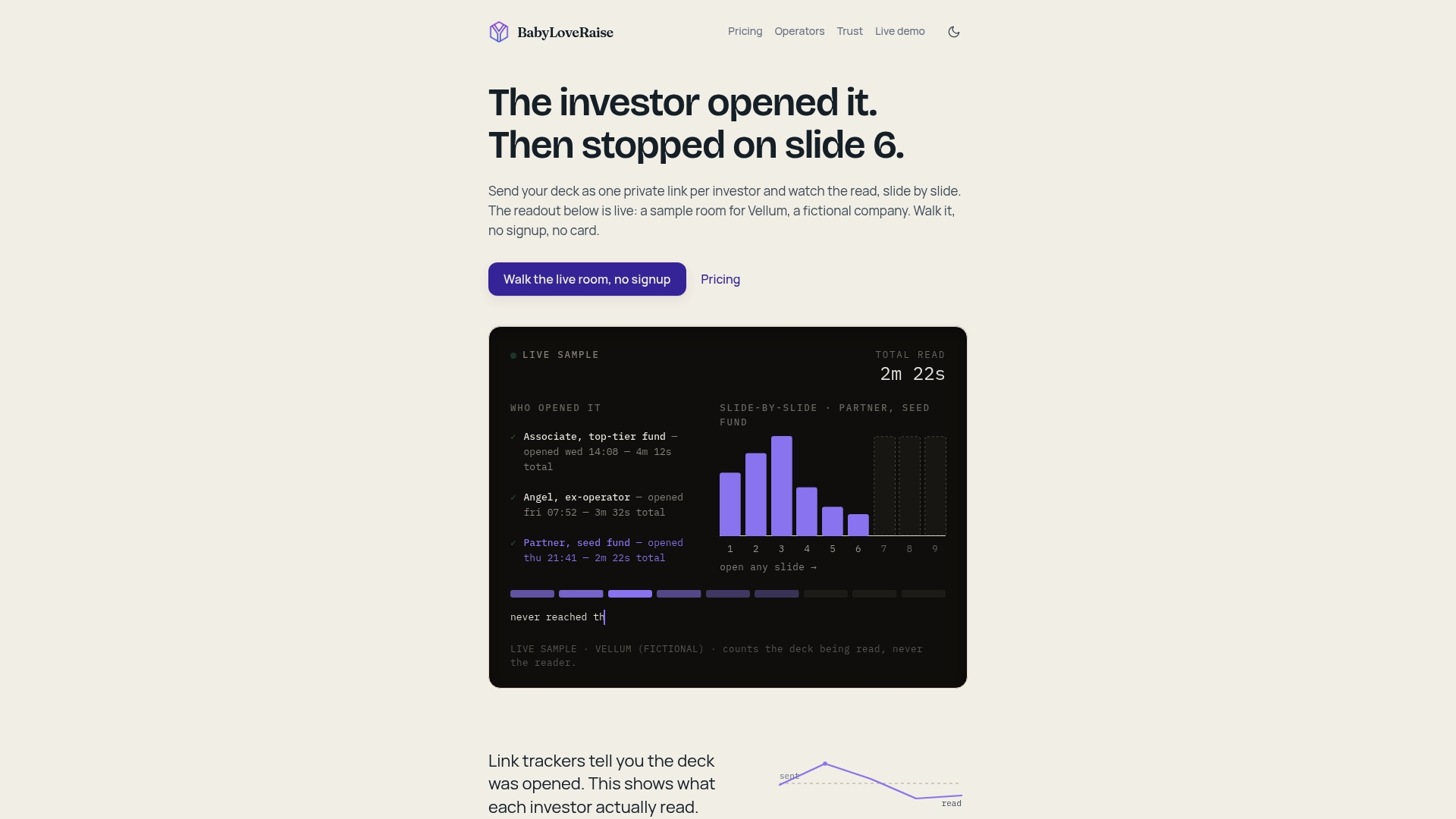
BabyLoveRaise provides startup founders a hosted raise room for pitch decks with detailed engagement analytics specific to fundraising, including who opened the deck, how far investors read, and per-slide attention metrics. Advisory firms and fractional CFOs get a white-label operator tier to run branded rooms across every client raise, and concierge options cover a deck editorial pass or a narrative Build Map for founders who want hands-on help before the room goes live. When your raise closes, the room converts to a free permanent archive instead of disappearing behind a paywall.
Worth repeating: this tracks documents, not people. It’s built to tell you what happened to your deck, not to profile the person reading it. If you’re about to send your deck out, set up your raise room before that next email goes out.
Frequently Asked Questions
Can I get a download notification for a PDF I email directly? No. Once a PDF leaves your inbox as an attachment, it generates no tracking data at all. You need a hosted link or viewer between the investor and the file to receive any open or download alert.
Does per-slide tracking work if the investor downloads the deck instead of viewing it online? Downloading typically ends live tracking for that session, since the file is now local. That’s exactly why some raise rooms watermark downloads and log the download event itself as a distinct signal.
How fast should I follow up after a read-to-end notification? Within 24 to 48 hours. Interest peaks right after someone finishes your deck, and that window closes quickly once other pitches land in their inbox.
Is tracking pitch deck opens legal? Tracking document-level events like opens and downloads is standard practice in fundraising and sales tools, but any personal data you collect, like an email tied to a link, falls under privacy laws such as GDPR depending on where your investor is located. Use email capture and data retention practices that comply with the rules in your jurisdiction.
What’s the difference between a raise room and a virtual data room? A raise room is built specifically for the pitch-deck stage of fundraising, with per-slide analytics and per-raise pricing. A traditional VDR is built for full due diligence across many document types, usually priced per seat, and often kept active long after a deal closes either way.
Sources
- How to Share and Track Fundraising Materials With Investors
- How to Build a Fundraising Data Room That Wins VC Trust