
Can You Disable Deck Downloads in a Raise Room?
Learn how to disable deck downloads in Raise Rooms to enhance security, prevent unauthorized sharing, and track engagement effectively.
August 27, 2026 · 8 min read

Yes. Most hosted raise rooms include a disable downloads toggle that hides the download button and blocks the file from being saved locally, so recipients can only view the deck in the browser. That single setting stops casual re-forwarding and keeps a stray copy from landing in someone’s downloads folder, but it does not stop a screenshot, a screen recording, or someone reading over a shoulder. BabyLoveRaise builds this control directly into its raise rooms, pairing it with measured watermarked downloads and per-slide analytics, so founders get more than a locked file. They get proof of who actually engaged with it.
- Disabling downloads hides the download button to deter local file saving.
- It deters casual sharing but cannot block screenshots or screen recording.
- Pairing it with watermarking and per-slide tracking turns a static block into an accountability system.
TL;DR:
- Disabling downloads blocks the download button and hampers direct file saving but does not prevent screenshots, recordings, or manual copying.
- Pairing download restrictions with dynamic watermarking and per-recipient links enhances traceability, making leaks easier to identify.
- Setting expiry windows of 30 days for teasers and 60 days for full decks balances security with practical access during fundraising stages.
- Never attach PDFs directly to emails alongside secure links, as doing so nullifies download restrictions.
- BabyLoveRaise integrates toggle-based download controls, watermarking, and analytics into its raise rooms for comprehensive content protection.
Table of Contents
- How Disabling Deck Downloads Works, and What It Can’t Stop
- Step-by-Step: How to Disable Deck Downloads and Lock Down Sharing
- What Settings Should You Use for Watermarks and Link Expiry?
- Operational Rules That Keep Download Controls From Failing
- How BabyLoveRaise Handles Download Controls for Your Raise
- Key Takeaways
- Sources
How Disabling Deck Downloads Works, and What It Can’t Stop
The toggle itself lives in the link or share settings of your raise room, and flipping it does two things at once. On the interface side, it removes the download button so there’s nothing to click. On the server side, it blocks the file-serving endpoint that would normally generate a PDF for export, so even a recipient who inspects the page source or tries a direct URL hits a dead end. This is standard behavior across most modern sharing platforms, and it usually takes effect immediately once you enable it for new or existing links.
What it can’t touch is anything that happens after the pixels render on someone’s screen.
- Screenshots. A recipient can capture any slide in seconds, and no software toggle prevents this.
- Screen recording. Anyone can capture the entire deck, page by page, with a built-in OS tool.
- Manual copying. Someone can retype numbers or rebuild a chart from what they see.
- Forwarded link access. If a link isn’t tied to one recipient, anyone with the URL can view it.
This is why treating “disable downloads” as an unbreakable lock is the wrong mental model. The realistic goal is deterrence and traceability, not a perfect seal. Dynamic watermarking, which overlays the viewer’s email and a timestamp on every slide, and per-recipient links, which tie access to one person instead of one URL, shift the risk from “can this be copied” (always yes) to “can I trace who copied it” (usually yes). That distinction is the entire logic behind combining download prevention with watermarking and revoke access rather than relying on any single control.
Step-by-Step: How to Disable Deck Downloads and Lock Down Sharing
Run through this checklist before you send your first outreach email, not after a deck has already leaked.
- Split your material into two tiers. Build a short teaser deck for cold outreach and a longer, more sensitive version for serious conversations, following the same tiered deck strategy advisors recommend for staged fundraising.
- Generate a per-recipient link for each contact. Instead of one link blasted to fifty investors, create individual links so you can track and revoke access person by person.
- Enable the disable downloads setting for that link. In most platforms, this is a one-click toggle inside link creation, and you can often set it as your default so you never forget.
- Turn on dynamic watermarking. Overlay the viewer’s email and a timestamp on every slide so any leaked screenshot still carries a fingerprint back to its source.
- Set expiry windows. A reasonable default is 30 days for teaser decks and 60 days for full decks, tightening further for anything shared during active diligence.
- Add email verification for late-stage materials. Require the recipient to confirm their email before the deck loads, which adds friction only where the stakes justify it.
- Test the link yourself in a private browsing window. Confirm the download button is actually gone and the watermark renders correctly before you send anything.
- Never attach a PDF to the same email as the link. If you give someone both, they will use the PDF, and every control you just set becomes irrelevant.
- Revoke the link once a conversation ends. Whether the investor passes or the round closes, kill access rather than leaving it live indefinitely.
Pro Tip: Send yourself a test link and open it on your phone, not just your laptop. Mobile browsers sometimes render download options differently, and the last thing you want is a working “save” button you didn’t know was there.
What Settings Should You Use for Watermarks and Link Expiry?
Watermarking only works if people can still read the deck. A viewer’s email and a timestamp, placed as a light diagonal overlay across the slide, does the job without turning your numbers into a barcode. That combination is what creates traceability for forwarded copies even though it can’t technically stop someone from taking a screenshot.
Expiry windows should track how sensitive the material is, not just how long your round takes.
| Deck Type | Recommended Link Expiry | Verification Needed |
|---|---|---|
| Teaser deck (cold outreach) | 30 days | None, keep friction low |
| Full pitch deck | 60 days | Optional, based on lead quality |
| Diligence / data room materials | Variable, tied to deal stage | Email verification recommended |
Password protection deserves a specific warning: it’s often the wrong tool for the first outreach stage. A password adds a step before an investor has decided you’re worth their time, and busy partners skip decks that make them work for access. Save password gates and heavier verification for diligence-stage materials, once someone has already expressed real interest. Early on, a disable-downloads toggle plus watermarking gives you real protection without adding friction that costs you a read.
Operational Rules That Keep Download Controls From Failing
Settings only work if the process around them holds up. A few habits separate founders who actually control their deck from founders who think they do.
- Enforce a strict link-only policy. Never attach a downloadable file in the same email or message as your secure link, since sending both defeats the point of either entirely.
- Watch per-slide analytics instead of guessing. Follow up with people who actually read to the end, not everyone on your list equally.
- Treat multiple IP addresses on one link as a signal, not proof. Revoke the link and ask a direct question before assuming the worst.
- Set a kill-switch policy from day one. Decide in advance that every link dies the moment someone passes or the round closes.
- Archive closed raises into read-only mode. Old decks sitting live and downloadable months after a round is a common, avoidable leak.
A note on how link controls changed our follow-up quality
One early-stage founder we worked with had sent the same deck to forty investors and heard back from six. Once the room showed who read to the last slide versus who never opened it, the follow-up list shrank to twelve real prospects, and two of those became term sheets. The controls didn’t write a better pitch. They just stopped silence from being treated as a “no” when it was actually a “never opened it.” Worth remembering: a locked deck with a weak narrative still loses. Controls protect a good pitch. They don’t replace one, and neither does clean investor-facing delivery.
— Paul
How BabyLoveRaise Handles Download Controls for Your Raise
BabyLoveRaise is built around the exact workflow this checklist describes, not bolted onto a generic file-sharing tool. Every room gives you a disable-downloads toggle, per-recipient links you can revoke individually, expiry settings, and measured watermarked downloads that log exactly who opened what and when.
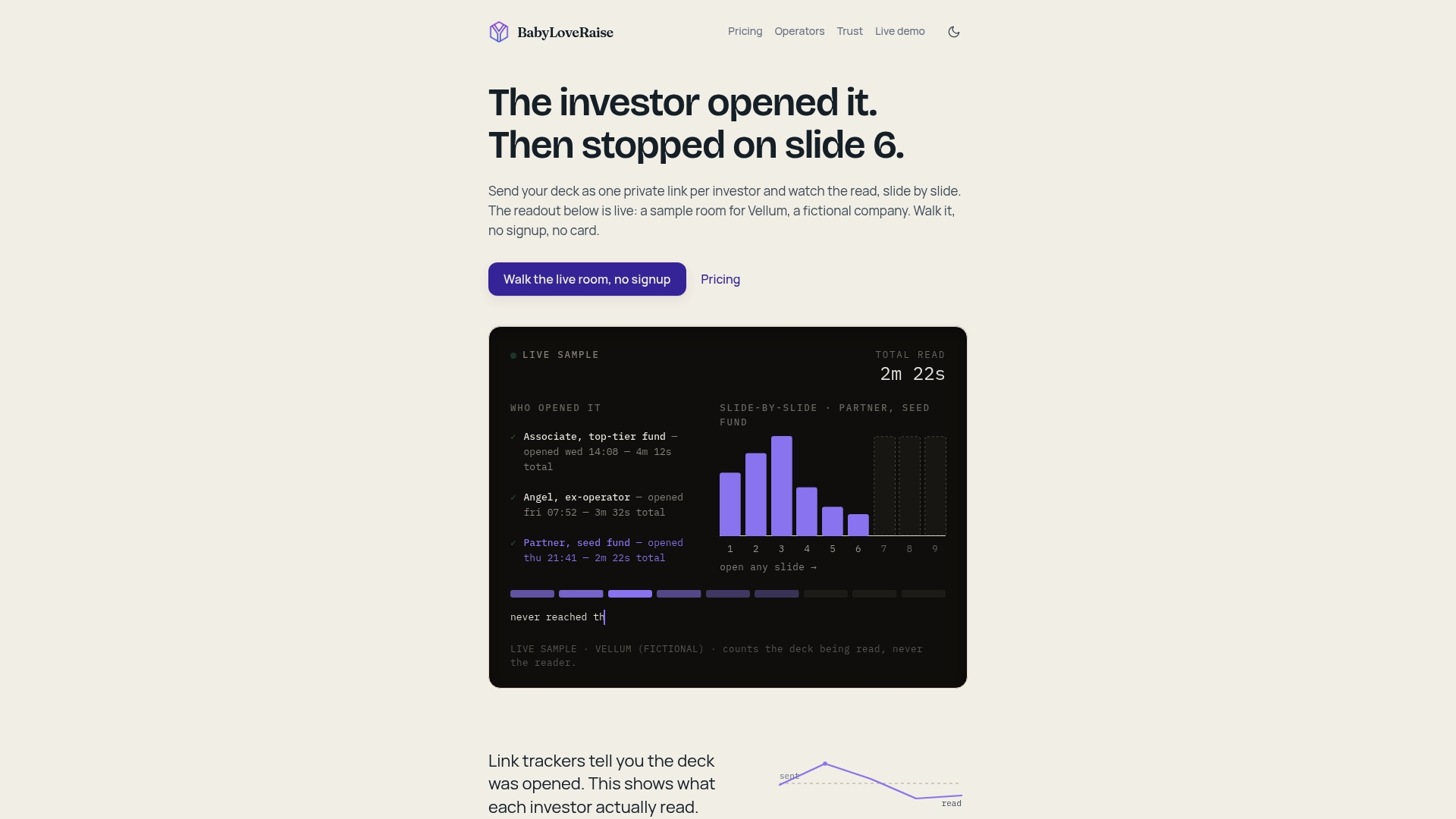
Emailing a PDF and waiting is a coin flip: you get no signal on whether anyone opened it, let alone read past slide three. A raise room replaces that guesswork with per-slide analytics that show you precisely where attention held and where it died, so your follow-ups go to real readers instead of a cold list. When your raise wraps, the room converts into a free permanent archive instead of disappearing behind a paywall. If you’re preparing your next round, start a room and see your first read notification, or check the pitch deck analytics guide for a deeper walkthrough of configuring these settings before you send your first link.
Key Takeaways
Disabling deck downloads prevents casual file saving and forwarding, but real protection comes from combining that toggle with watermarking, expiry, and per-slide tracking.
| Point | Details |
|---|---|
| Toggle location | Find “disable downloads” in your raise room’s link or share settings; it hides the download button and blocks the file endpoint. |
| Known limits | Screenshots, screen recording, and manual copying remain possible no matter what settings you enable. |
| Watermark and expiry defaults | Use dynamic watermarks with viewer email and timestamp, 30 day expiry for teasers, 60 days for full decks. |
| Link-only protocol | Never attach a downloadable PDF alongside a secure link, or every download control becomes pointless. |
| BabyLoveRaise’s approach | BabyLoveRaise combines a disable-downloads toggle with measured watermarked downloads and per-slide analytics in one raise room. |
Sources
- Disable downloads on shared links Tresorit Support
- How to Stop Anyone From Downloading Your Shared Documents SendNow Blog
- Sharing pitch decks securely with investors Capitaly