
3 Low Friction Ways Seed Founders Integrate Deck Analytics into CRM
Map per slide deck signals into CRM and automate follow ups. Three low friction integration patterns and sample CRM fields for seed founders.
September 10, 2026 · 7 min read

Yes, you should sync deck analytics into your investor CRM. Feed first-read timestamps, per-slide dwell, completion rate, and reopens or forwards straight into each contact record, then use those signals to set “Warm” tiers and auto-create follow-up tasks. BabyLoveRaise is a raise-focused option that produces these exact signals along with the sharing controls to manage who sees what.
TL;DR:
- Syncing deck analytics into your CRM allows prioritization based on actual engagement signals like slide dwell time and completion rates, not just silence.
- Using API or webhook integrations offers real-time updates for large raises, while CSV automation suits smaller, slower projects with fewer investors.
- Building custom CRM fields such as first open timestamp, percentage viewed, and reopen count enables automated follow-up actions based on investor activity.
- Applying clear thresholds and automations for high, medium, and low engagement helps streamline personalized outreach and move investors through pipeline stages.
- Focusing on privacy by tracking document engagement, not individual device data, and using shared link controls preserves investor trust and compliance.
BabyLoveRaiseTurn Deck Engagement Into ActionBabyLoveRaise gives founders first reads, per-slide engagement, completion, and sharing signals in one raise-focused room.Explore BabyLoveRaise
Table of Contents
- Why syncing deck analytics to your CRM changes fundraising prioritization
- Integration patterns: three practical ways to push deck signals into a CRM
- What to map: recommended CRM fields, signal thresholds, and pipeline actions
- Step-by-step implementation checklist
- Privacy, investor etiquette, and security guardrails
- How BabyLoveRaise fits this integration and a quick start path
- Practical perspective: what successful advisory firms track and why
- Sources
Why syncing deck analytics to your CRM changes fundraising prioritization
An investor who never opened your deck and one who read every slide and went quiet look identical in a spreadsheet: silence. They are not the same investor, and treating them the same wastes your limited follow-up hours on a pre-seed or seed raise. Per-slide dwell time turns that ambiguity into a decision. A VC’s first pass through a cold deck is famously brief, which is exactly why lingering on your traction slide or your cap table for longer than average is a real signal worth acting on, not noise.
The bigger risk is running your tracking tool and your CRM as two separate systems. Visible.vc’s guidance on fundraising CRM setup points to a straightforward problem: when engagement data lives in one dashboard and pipeline status lives in another, the two drift apart, and your follow-ups end up based on stale information.
What syncing actually buys you:
- Investors who finished the deck get flagged before investors who bounced after slide two.
- Slides with high reopen rates tell you where a partner is dragging in a colleague for a second look.
- Your contact record shows engagement history alongside pipeline stage, so nobody follows up blind.
Integration patterns: three practical ways to push deck signals into a CRM
Most founders default to whatever integration feels easiest, which isn’t always the right call once you factor in raise size and how much technical time you actually have.
1. Native CRM tracking. Some CRMs built for fundraising already log document opens and basic activity, and CRM buying guides for fundraising-specific pipelines list document tracking among the features to check for. This is the fastest path if your CRM supports it out of the box, but native tracking is usually shallow: open/no-open, rarely per-slide dwell or reopen counts.
2. API or webhook sync. Your raise room fires an event (first open, slide completed, deck reopened) and a webhook pushes it straight into the matching contact record in real time. This is the pattern advisory firms running several client raises at once should default to, since it scales without manual reconciliation and keeps every client’s dashboard current the moment an investor acts.
3. CSV export plus automation. Export engagement data on a schedule and run it through an automation tool like Zapier to update CRM fields. Slower, and not real time, but it costs nothing beyond your existing tools and works fine for a single raise with a small investor list.
Pick by scale, budget, and technical access:
- Solo founder, first raise, under 40 investors: CSV plus automation.
- Solo founder or small team wanting speed without engineering time: native tracking, if your CRM has it.
- Advisory firm running multiple client raises, or any team that needs same-day follow-up triggers: API/webhook sync.
What to map: recommended CRM fields, signal thresholds, and pipeline actions
Before connecting anything, decide what fields you actually need. Document-sharing platforms typically expose slide-level analytics like viewer identity, time spent, and forwarding, and those map cleanly onto CRM custom fields.
Build these fields on the contact record:
Deck_first_open(timestamp)Deck_completion_pct(number)Last_slide_viewed(slide number)Reopen_count(integer)Forwarded_flag(boolean)Time_on_key_slides(seconds, tracked per slide you care about, like traction or the ask)
Set thresholds that trigger action instead of just sitting in a report.
Automation examples worth building on day one: a High-priority read creates a task for you to reach out within 24 hours, a Medium read applies a “Warm” tag for the next outreach batch, and a completed deck plus a forward moves that contact onto your “Meeting scheduled” candidate list.
Pro Tip: Surface Last_slide_viewed directly in your pipeline view, not just the contact timeline. Seeing which slide stalled a batch of investors tells you where to fix the deck, not just who to chase.
Step-by-step implementation checklist
- Choose your integration pattern from the three above, based on raise size and technical access.
- Define your signal fields and thresholds before you connect anything. Decide what counts as High, Medium, and Low ahead of time so you’re not improvising mid-raise.
- Create the CRM fields and pipeline stages that match those signals, plus a “Meeting scheduled” candidate list.
- Set up the technical connection. Configure the webhook or API, or build the Zapier recipe, and fire a handful of test events to confirm they land in the right fields.
- Lock down sharing controls. Use link registers (first send, forwardable, private) and measured watermark downloads so tracked access matches how you actually want the deck shared.
- Run a pilot batch. A workable pattern is sending your first 10 investor links, confirming every event maps into the CRM within 24 hours, then flipping on automations before scaling to your next 50 to 100 sends.
- Verify and adjust. If thresholds fire too often or not often enough, tune them before your main send wave.
- Archive after close. Convert the raise room into a permanent record and export engagement history into your long-term investor relations file.
| Stage | Action | Signal to check |
|---|---|---|
| Pre-launch | Define fields and thresholds | None yet |
| Connect | Fire test events | Webhook/API delivers correctly |
| Pilot | Send first 10 links | Events map within 24 hours |
| Scale | Send next 50 to 100 | Automations fire as designed |
| Post-raise | Archive room | Full engagement history exported |
Privacy, investor etiquette, and security guardrails
Track the document, not the person. Deck analytics should tell you whether the traction slide held attention, not build a profile of an individual investor’s device or location, and framing it that way keeps you on the right side of investor trust and away from surveillance territory.
Practical controls worth enforcing:
- Use separate link registers for first send, forwardable copies, and private shares, so you always know which version is circulating.
- Apply measured watermark downloads on anything that leaves the room as a file.
- Revoke access immediately once an investor passes or the round closes.
- Keep outreach triggered by signals under human review; a High-priority flag should prompt you to write a real note, not fire an automated message.
- Talk to counsel on jurisdiction-specific questions if you’re an advisory firm handling multiple clients’ investor data across regions.
How BabyLoveRaise fits this integration and a quick start path
If you want these signals without stitching together three separate tools, a raise room built specifically for fundraising handles most of this natively. BabyLoveRaise notifies you the moment an investor opens the deck for the first time, records per-slide dwell so you know exactly where attention held or dropped, and offers link registers plus measured watermark downloads for the sharing controls covered above.
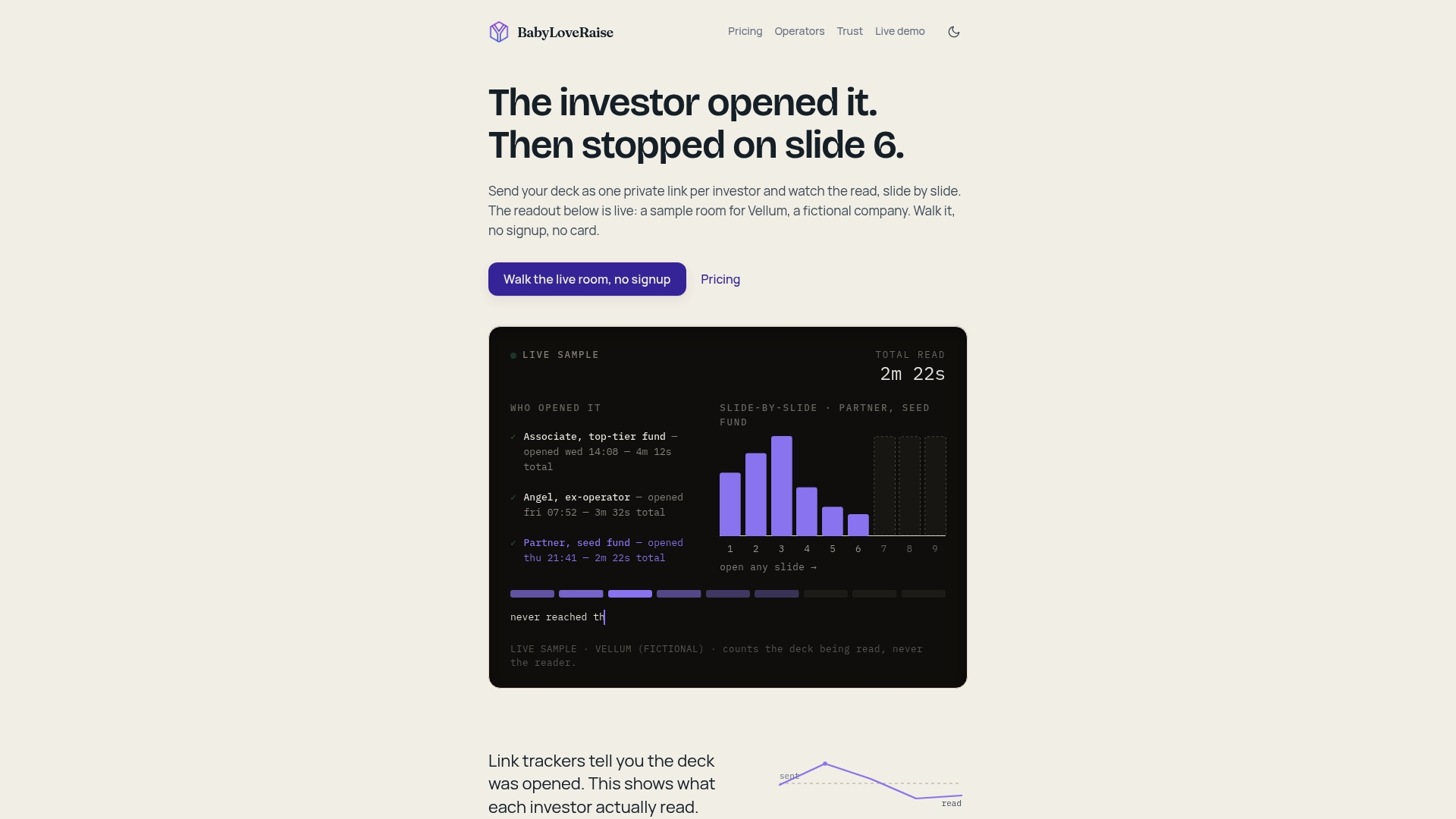
The quick pilot path mirrors the checklist you just read: create a raise room, set your access registers for first send versus forwardable copies, enable the webhook or export feed into your CRM, and run a small test batch before opening it to your full investor list. Pricing is structured per raise rather than per seat, and there is a tier that supports white-labeled rooms across multiple client raises. Check the trust and security details before you launch your first room, and start with a small pilot batch to confirm your automations fire correctly.
Practical perspective: what successful advisory firms track and why
Firms that scale across multiple client raises standardize their field names and thresholds once, then reuse the same template everywhere. That consistency is what actually lets automation work. The founders I see struggle aren’t missing tools. They’re running a different field name or a different threshold definition for every client raise, which means nothing connects reliably and every dashboard needs manual checking. Standardize the signal field names and pilot checklist first, test the automation before your first real send batch, and treat that skipped testing step as the most common reason integrations quietly fail.
— Paul
Sources
Further reading: Visible.vc’s fundraising CRM guide, the StartupFundraising sharing guide, and BabyLoveRaise’s investor tracking guide for setup specifics.
- Dropbox DocSend: Investor Analytics for Pitch Deck Sharing - Startupik