
Founders: Send View Only Deck Links That Trigger Follow Up in 48 Hours
Founders and advisors: send unique view only deck links that log per slide dwell and first send signals, then prioritize follow up within 48 hours.
September 1, 2026 · 7 min read
Send a raise-centered view-only deck link, not a PDF or a plain Google Slides URL. A proper link locks down editing while recording who opened it, when, how long they lingered on each slide, and whether they forwarded it to a partner. The single move that matters most: generate a unique instrumented link per investor and turn on email gating before your first outreach email goes out. Everything else, follow-up timing, deck revisions, is downstream of that one decision.
TL;DR:
- Generating a unique, instrumented link for each investor and enabling email gating is crucial before outreach to track engagement accurately.
- Slide-by-slide dwell time and repeat visits provide actionable signals on investor interest and highlight specific content that needs revision.
- Follow up within 48 hours with new information if an investor shows strong engagement, but avoid referencing the tracked data directly in communication.
- Set clear engagement-based segments such as hot, warm, or cold to prioritize follow-ups and optimize your outreach strategy.
- Use raise-specific viewing links that expire after the round ends and switch to permanent archives, ensuring privacy and relevant engagement tracking.
Table of Contents
- What a Raise-Centered View-Only Deck Link Actually Records
- How to Set Up a Trackable, Secure Deck Link Before You Hit Send
- Turning Open Data Into Follow-Up Decisions and Deck Fixes
- Why BabyLoveRaise Built Raise Rooms Around First-Send Signals
- Send Instrumented Links, Not File Attachments
- Sources
What a Raise-Centered View-Only Deck Link Actually Records
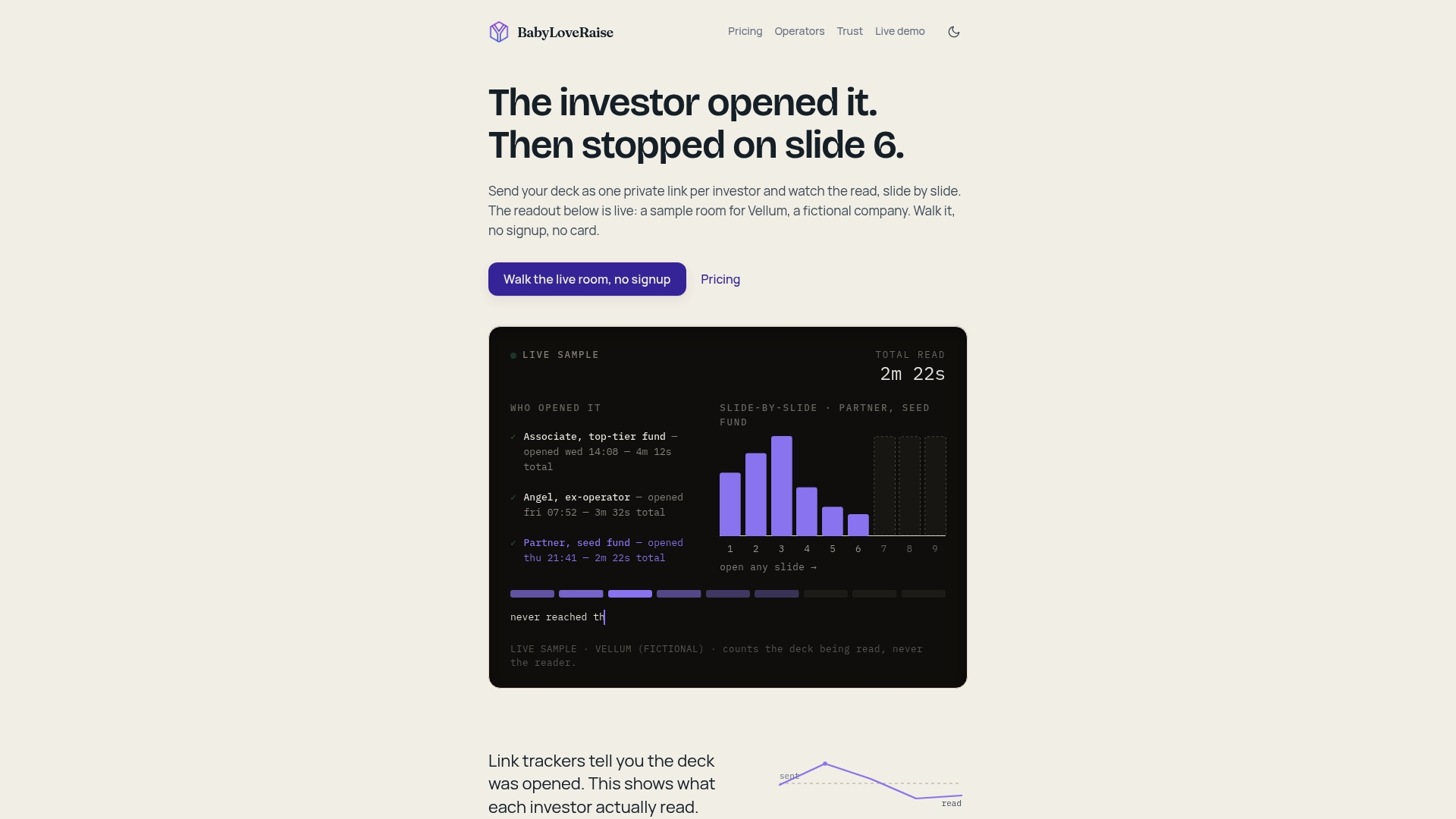
A generic share link tells you nothing after the click. A raise-centered link tells you a story. It logs the open event with a timestamp, so you can see whether an investor read your deck the night you sent it or three weeks later after a partner meeting reminded them you exist. It tracks dwell time per slide, which is a sharper signal than total session length. Someone can sit on your deck for four minutes because they read it closely, or because they opened it in a browser tab and got distracted. Slide-by-slide attention tells you which.
Here’s what the tracking layer typically captures:
- Open events and timestamps, showing recency and urgency
- Per-slide dwell time, revealing which slides hold attention and which get skipped
- Repeat visits and session counts, often a stronger buying signal than a single long read
- Forwarding detection, flagging when your deck reaches someone new
- Watermarked, measured downloads that preserve traceability if a copy leaves the room
Hosted, instrumented links capture all of this in a way a PDF attachment structurally cannot. A quick reality check: two investors who “never responded” can look identical from the outside, but one never opened your email and the other read every slide twice and passed. Those are different problems requiring different fixes.
How to Set Up a Trackable, Secure Deck Link Before You Hit Send
Before any link goes out, get the deck itself right. Investors often skim a deck in under three minutes on the first pass, so your slide titles and headline numbers need to tell the story even if nobody reads a full sentence of body copy. Fix that first, because tracking data on a confusing deck just tells you people were confused faster.
Once the deck itself is solid, work through this sequence for every send:
- Finalize one canonical version of the deck. Don’t track five slightly different files.
- Generate a unique link per investor, never a single shared link posted across multiple emails.
- Turn on email gating so a viewer has to enter an address before the deck loads.
- Set your forwarding register: first-send for the initial contact, forwardable if you expect a partner to loop in colleagues, private if the deck contains numbers you don’t want circulating.
- Choose your download and watermark policy, and set an expiry date if you want the link to go cold after your round closes.
- Turn on real-time open notifications and route them to whoever owns follow-up, not a shared inbox nobody checks on weekends.
- Use version control so an updated deck replaces the old one at the same link without wiping out engagement history.
Pro Tip: Set your notification to hit your phone, not just your email. The value of knowing an investor opened your deck at 9:47 PM drops fast if you don’t see it until you check your inbox the next afternoon.
Hosted links also solve a problem attachments create by default. Page-by-page time tracking and forwarding detection simply don’t exist once a PDF leaves your outbox as a file rather than a link.
Turning Open Data Into Follow-Up Decisions and Deck Fixes
Raw engagement data is useless until you attach rules to it. Start with timing: if an investor spends real time on a first session, several minutes with dwell spread across multiple slides, follow up within 48 hours while the deck is still fresh in their head. If someone returns to the deck a second or third time after a short first scan, that’s a slower burn worth a gentler nudge within two weeks rather than an immediate push.
Segment your list into three buckets:
- Hot: long first session, multiple repeat visits, forwarded to a partner
- Warm: short first scan, but they came back on their own
- Cold: no open at all after a week, or opened once and never returned
Slide-level data is where deck revisions come from. If dwell time consistently craters on your market-size slide across five different investors, that’s not investor indifference, that’s a slide problem. Time spent per slide is the clearer signal here, far more actionable than total session length, because it points to the exact page losing attention. Try a stronger headline number, simplify the visual, or move the slide earlier where attention is still fresh.
When you do follow up, add something new rather than referencing the tracking itself. Never write “I saw you opened the deck.” Treat the data as an internal cue, not a talking point; instead, lead with an updated traction number, a new customer quote, or a direct answer to the question you suspect they’re sitting on.
Pro Tip: If you’re an advisor running six client raises at once, batch your notifications into a daily digest instead of reacting to every ping. React only when an investor crosses into your “hot” segment, that’s where fast follow-up actually changes outcomes.
Advisors managing multiple raises need dashboards that surface the highest-attention investor across every client account, not just the most recent open. That’s the difference between reacting to noise and prioritizing the three conversations most likely to close this month.
Why BabyLoveRaise Built Raise Rooms Around First-Send Signals
Most document trackers treat a fundraise like any other file share. That’s a mismatch. A fundraise has a beginning, a middle, and an end, and the signals that matter shift as it moves through those phases. First-send semantics, knowing whether this is an investor’s very first look at your deck versus their fourth, tell you something a generic “viewed” badge never will.
Per-raise pricing follows from that same logic. A round that runs eight to twelve weeks shouldn’t carry a perpetual per-seat subscription designed for teams collaborating on documents all year. When the raise closes, the room should convert to a free permanent archive, not vanish behind a paywall the moment you stop paying.
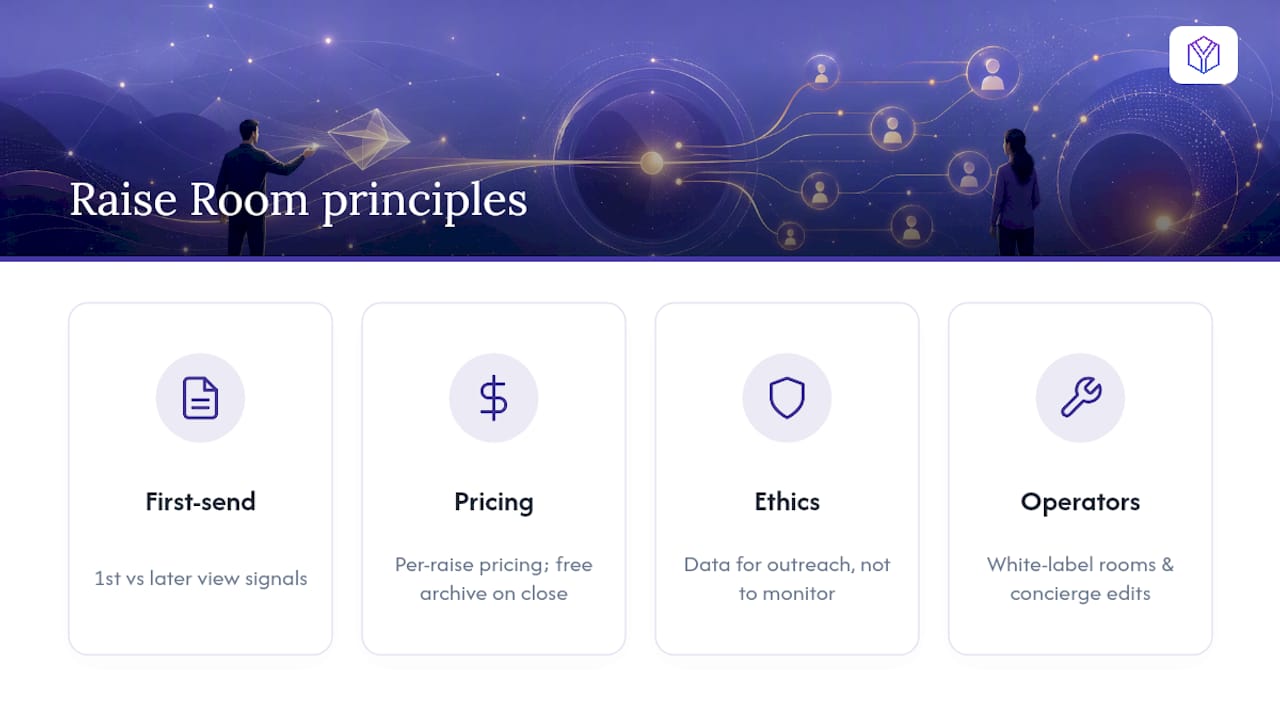
None of this is about watching people. It’s about watching a document. The ethical line matters: track engagement to inform your own outreach, never to make an investor feel monitored. Referencing analytics in an email is bad form. The data is for you, not for them.
Operator tooling, white-label rooms and concierge deck edits, exists because advisory firms run this exact workflow across five or ten client raises simultaneously, and the mechanics should scale with them rather than forcing them into seat-based pricing built for a different kind of software.
— Paul
Send Instrumented Links, Not File Attachments
BabyLoveRaise is what a raise-centered view-only deck link looks like when it’s built for founders instead of retrofitted from a generic document-sharing tool.
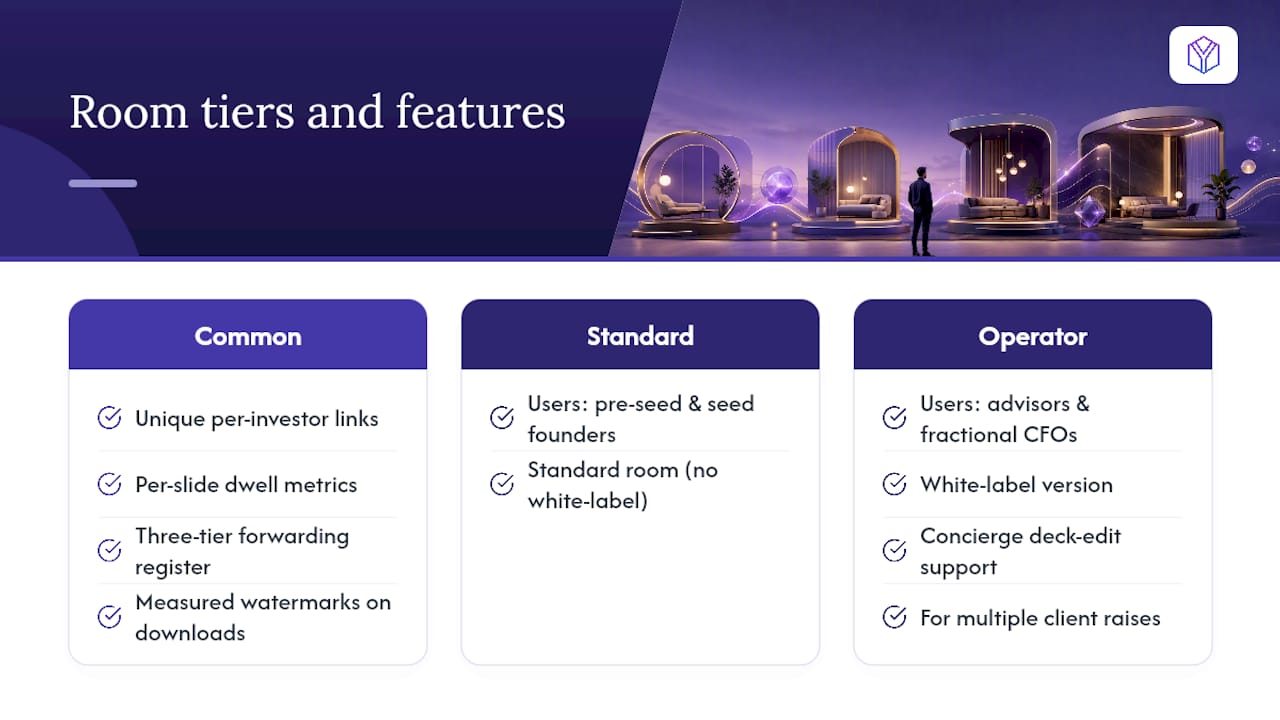
Every piece of the checklist above maps directly onto a feature: unique per-investor links instead of one shared URL, per-slide dwell metrics instead of vague “viewed” flags, a three-tier forwarding register (first-send, forwardable, private), and measured watermarks on any download that leaves the room. Pricing runs per raise, not per seat, which matters when your round has a defined start and end date rather than running indefinitely. Pre-seed and seed founders use the standard room; fundraising advisors and fractional CFOs running several client raises at once get the Operator tier, a white-label version of the same room with concierge support for deck edits when a client needs more than software.
Check the pricing page to see which tier fits your raise, or book a demo to see the founder dashboard before your next investor email goes out.
Sources
For more on how hosted links log opens and per-slide attention, see Pitch Deck Analytics: How to Spot Investor Interest Before They Call. For slide-order strategy tied to how investors actually skim, read Investor pitch deck slide order: The VC reading pattern and How Investors Read Pitch Decks in Under 3 Minutes.
- Pitch Deck Analytics: How to Spot Investor Interest Before They Call
- How Investors Read Pitch Decks in Under 3 Minutes — And What That Means for Yours
- How to Know If an Investor Opened Your Pitch Deck — SendNow Blog