
Pitch Deck Notifications: How to Track Investor Engagement
Stay ahead in your fundraising with pitch deck notifications that track investor engagement and alert you instantly when slides are viewed.
August 21, 2026 · 13 min read

You get notified the moment an investor opens your deck by sharing one persistent tracked link instead of a PDF attachment, then letting a “raise room” record per-slide engagement in the background. Upload your deck once, send the link, and turn on email or in-app alerts. That’s the entire setup.
The classic 10/20/30 rule (ten slides, twenty minutes, thirty-point font) still governs what goes into the deck itself, but it says nothing about what happens after you hit send. That’s the gap tracked links fill. BabyLoveRaise builds specifically around that gap, pricing per raise instead of per seat, and reporting first-read moments and per-slide dwell rather than treating your fundraise like a generic file share.
- Send one persistent link, not repeated email attachments
- Turn on notifications so you know the instant a slide gets opened
- Watch per-slide dwell time to see which slides actually hold attention
Key Takeaways
Reliable pitch deck notifications come from a single persistent tracked link paired with sane cadence rules, not from emailing a PDF and hoping for a reply.
| Point | Details |
|---|---|
| Use one persistent link | Replace PDF attachments with a single tracked room so version control and analytics stay clean. |
| Watch dwell time over opens | Per-slide dwell on traction and financial slides signals real interest better than a raw open count. |
| Match cadence to the list | Use instant alerts for warm intros and daily digests for broad outbound to avoid notification fatigue. |
| Follow up within 48 hours | Send a short, specific note after a first read; treat repeat opens within 48 hours as higher priority. |
| Choose a raise-focused room | BabyLoveRaise prices per raise, reports per-slide engagement, and separates “never opened” from “read and passed.” |
Table of Contents
- What Does Pitch Deck Tracking Actually Show You?
- Why Does Tracking Investor Engagement Improve Fundraising?
- Which Metrics Actually Signal Investor Interest?
- Should You Use Real-Time Alerts or Daily Digests?
- How Do You Set Up Deck Tracking and Notifications?
- When Should You Follow Up After a Read?
- How Do You Track Investors Without Crossing a Privacy Line?
- What Mistakes Do Founders Make When Tracking Decks?
- What Should You Look for in a Deck Tracking Platform?
- What Makes a Raise-Focused Room Different From Generic File Sharing?
- How Do You Build Tracking Into Your Fundraise in One Week?
- What Changed Once I Started Tracking My Own Fundraise
- Get a Raise Room Built for Founders, Not File Storage
- Useful Sources for Deeper Setup and Strategy
- Frequently Asked Questions
What Does Pitch Deck Tracking Actually Show You?
A tracked deck records a handful of concrete events: the open itself, total time spent in the document, dwell time on each individual slide, the order slides were viewed, how many separate opens occurred, and whether the recipient forwarded or downloaded the file. Not every platform reports all of these, but per-slide dwell and total time are the two you should expect from any pitch deck analytics tool worth using.
The tricky part is interpretation. A 15-second open on your traction slide could mean the investor skimmed and moved on, or it could mean they already knew the numbers from a warm intro call and just confirmed them. Dwell time is inferred attention, not measured focus. That distinction matters most on repeat views. Someone who opens your deck three times in two days is behaving differently than someone who opened it once for eleven minutes and never came back.
A founder sends a deck to twelve investors. Nine open it once, average ninety seconds, and never return. Two open it, leave it idle for six minutes on the financial slide, then never return. One opens it four times over three days. Only one of those thirteen behaviors looks like a live conversation forming.
Why Does Tracking Investor Engagement Improve Fundraising?
Tracking turns a blind outreach list into a ranked one. First read plus meaningful time on your traction or financial slide is a stronger signal than any cold-email open rate, because it tells you the specific person is engaging with the specific argument you’re making for funding.
- Prioritize the investors who actually read the deck over ones who haven’t opened it
- Cut wasted follow-up emails to contacts showing zero engagement
- Time your outreach to land right after a read, when the deck is fresh in their mind
Pro Tip: Treat engagement data as one input, not the whole picture. An investor who never opens the deck but replies warmly to your email, or comes through a strong referral, can still be a hotter lead than someone who read every slide and went silent.
Which Metrics Actually Signal Investor Interest?
Six metrics do most of the work: first-open event, total time spent, slide-by-slide dwell, repeat opens, forwards or downloads, and whether the viewer had to enter an email to access the room. Everything else is noise.
- First open: confirms the deck reached a real person
- Total time: rough filter for engagement depth
- Per-slide dwell: shows exactly where attention lived or died
- Repeat opens: often the strongest single signal of active interest
- Forwards: can mean the deck reached a partner or associate for a second opinion
Heuristic worth using: total read time past three minutes, combined with 30 to 45 seconds on the traction or financial slide, tends to correlate with genuine interest rather than a courtesy glance. A repeat view inside 48 hours usually deserves a faster follow-up than a single long read a week ago. Watch for false positives too. A tab left open on a browser can register as ten minutes of “engagement” when nobody was actually reading, so weigh dwell time against plausible reading speed before you get excited.
Should You Use Real-Time Alerts or Daily Digests?
Instant notifications make sense for a short list of warm intros or investors you’re actively courting. A ping the second a partner at your target fund opens the deck is worth an interruption. But if you’re running outbound to forty or fifty investors, instant alerts for every open will bury you in noise and wreck your focus.
- Instant alerts: reserve for named, high-priority contacts and active conversations
- Daily digest: use for broad outbound lists so you batch follow-ups once a day
- Weekly summary: fine for late-stage or dormant leads you’re not actively chasing
A pitch deck strategy built around a single shared link, rather than a dozen different file versions, makes this cadence far easier to manage because every notification traces back to the same room.
Pro Tip: Route every notification into a dedicated fundraising inbox or a CRM tag instead of your main inbox. Mixing deck alerts with regular email traffic is how founders miss the one notification that actually mattered.

How Do You Set Up Deck Tracking and Notifications?
Getting this running takes less time than writing one cold email.
- Create a persistent raise room or tracked link rather than emailing a PDF
- Upload your current deck, replacing older versions in the same room
- Set viewer access controls: email gating, an optional password, and an expiration date if needed
- Turn on your notification preferences, choosing instant alerts, digest, or both
- Test the whole flow with a colleague before sending it to a single investor
Once that’s live, a few integration steps make the data useful rather than just interesting:
- Connect the room to your CRM or fundraising tracker so opens sync automatically
- Tag contacts as “first read” or “warm” the moment engagement crosses your threshold
- Set your digest timing to match when you actually review outreach, not whenever the tool defaults to
The persistent link matters more than founders expect. When you swap the deck out from under the same URL instead of sending five different versions to five different investors, your analytics stay centralized and you stop wondering which version someone actually saw.
When Should You Follow Up After a Read?
Timing beats enthusiasm. A short, specific email 24 to 48 hours after a first read tends to outperform an immediate reply, which can come across as watching too closely. If the open came through your broad outbound list, let it sit in a digest and batch your follow-up with others from the same day. A warm intro who opens the deck and lingers on your ask slide, though, deserves a same-day note or a call, not a queued email three days later.
- Cold: opened once, brief time, no repeat view. Low-priority follow-up or none.
- Warm: full read, meaningful time on traction or ask slides, single open. Send a short, specific note within 48 hours.
- Hot: repeat opens, especially within 48 hours, or a forward to a second viewer. Reach out same day.
A structured follow-up cadence built around these categories converts far more reads into actual meetings than blasting every opener with the same generic check-in.
Deck edits follow the same logic in reverse. If dwell time is consistently low on your market-size slide, the headline or visual probably isn’t landing. If it’s unusually high on your ask slide, that could mean confusion rather than interest, so consider tightening the number and terms.
Pro Tip: Before rewriting a slide because of one drop-off, check whether the pattern repeats across at least five or six viewers. One outlier isn’t a trend.
How Do You Track Investors Without Crossing a Privacy Line?
Report on the document, not the person. Good tracking tells you a slide got skimmed, not that a specific investor is uninterested in your company. BabyLoveRaise’s approach to pitch deck tracking reports engagement without building a surveillance profile of anyone who opens the room.
- Disclose that the deck is tracked when it’s relevant to the relationship
- Never state publicly, or even internally as fact, that a named investor “isn’t interested” based solely on a short open
- Treat engagement data as directional, not a verdict on any one person’s intent
Pro Tip: Reference the read naturally in your follow-up, something like “saw you had a look at the deck, happy to answer anything” rather than anything that sounds like you’ve been watching their every move.
What Mistakes Do Founders Make When Tracking Decks?
The most common one is overreacting to a single fifteen-second open as if it were a rejection or a green light. Close behind it: firing off an instant reply the second a notification lands, which reads as more anxious than responsive. Founders also lose track of engagement data by never connecting it to a CRM, and they undermine their own analytics by sending three or four different deck versions to different investors instead of one shared room.
- Fix: centralize everything in a single persistent room
- Fix: set notification rules that separate warm intros from broad outbound
- Fix: log every meaningful interaction in your CRM, not just the ones you remember
- Fix: keep one current deck version live instead of scattering PDFs across email threads
What Should You Look for in a Deck Tracking Platform?
Compare platforms on a short list of criteria rather than feature marketing. Pricing structure matters most early: per-raise pricing fits a single fundraising cycle far better than a per-seat subscription that keeps billing after you’ve closed. Beyond that, check for persistent link or room support, genuine per-slide analytics rather than just a total open count, flexible notification settings, and export options for your own records.
- Early-stage priority: low cost per raise, simple email gating, straightforward notifications
- Later-stage priority: deeper analytics, multi-operator support for advisors running several client raises, CRM depth
An investor tracking setup that integrates cleanly with your existing outreach tools saves far more time over a raise than one extra dashboard chart ever will.
Pro Tip: Run a real test before committing. Share a room with a colleague, trigger a few opens, and confirm the notification actually reaches you and the CRM tag actually fires.
What Makes a Raise-Focused Room Different From Generic File Sharing?
Generic document trackers treat a pitch deck like any other shared file. A raise-focused room treats it like what it is: a single, time-boxed sales process with a defined outcome. BabyLoveRaise separates “never opened” from “read and passed,” two silences that look identical in a normal inbox but mean completely different things for your follow-up strategy.
- Per-raise pricing instead of a recurring per-seat bill
- Per-slide engagement analytics tied to a single persistent room
- Distinct states for first read, forwarded, and read-through-to-end
- Privacy-aware reporting that never builds a surveillance profile of a named investor
- An Operator tier for fractional CFOs and advisory firms running multiple client raises at once
The two states that matter most in a raise are “never opened” and “opened everything, then went quiet.” Most tools can’t tell you which one you’re looking at. That single distinction changes who gets a follow-up call and who gets left alone.
For an advisory firm running six client raises simultaneously, that Operator tier alone replaces a stack of separate tracking links with one branded console, at a fraction of what a full data room platform charges.
How Do You Build Tracking Into Your Fundraise in One Week?
Spread the setup across seven days and it barely registers as extra work on top of your existing raise.
- Day 1: Create your raise room and upload the current deck
- Day 2: Configure access controls, email gating, and expiration if needed
- Day 3: Set notification preferences, splitting instant alerts from digest lists
- Day 4: Test the whole flow with a colleague before any investor sees it
- Day 5: Connect your CRM and set tags for first read and warm
- Day 6: Send the link to a small outbound batch, five to ten investors
- Day 7: Review notifications, send first follow-ups, prioritize by engagement
- After a first read: “Thanks for taking a look, happy to answer anything on the deck or jump on a quick call.”
- After a repeat read: “Saw you came back to the deck. Anything specific I can clarify before we talk?”
By day seven you should have a prioritized list of warm leads and enough per-slide data to know which slide needs work before your next batch goes out.
What Changed Once I Started Tracking My Own Fundraise
The habit that changed things wasn’t the software. It was refusing to send a deck as a PDF attachment ever again. One link, one room, one source of truth on who actually read it. That single behavior shift did more for my follow-up discipline than any template ever did.
On privacy: the data only ever told me what happened to the document, never what an investor was thinking. Treat it that way and it stays a useful tool instead of something that makes you paranoid at 11 p.m. refreshing a dashboard.
Get a Raise Room Built for Founders, Not File Storage
If you’re still emailing a PDF and hoping for a reply, you’re running the version of fundraising this article just described as broken. BabyLoveRaise gives you one persistent raise room instead: per-slide engagement data, first-read notifications, and privacy-aware reporting that never turns an investor into a tracked profile. Pricing runs per raise, not per seat forever, so you’re not paying a subscription long after your round closes.
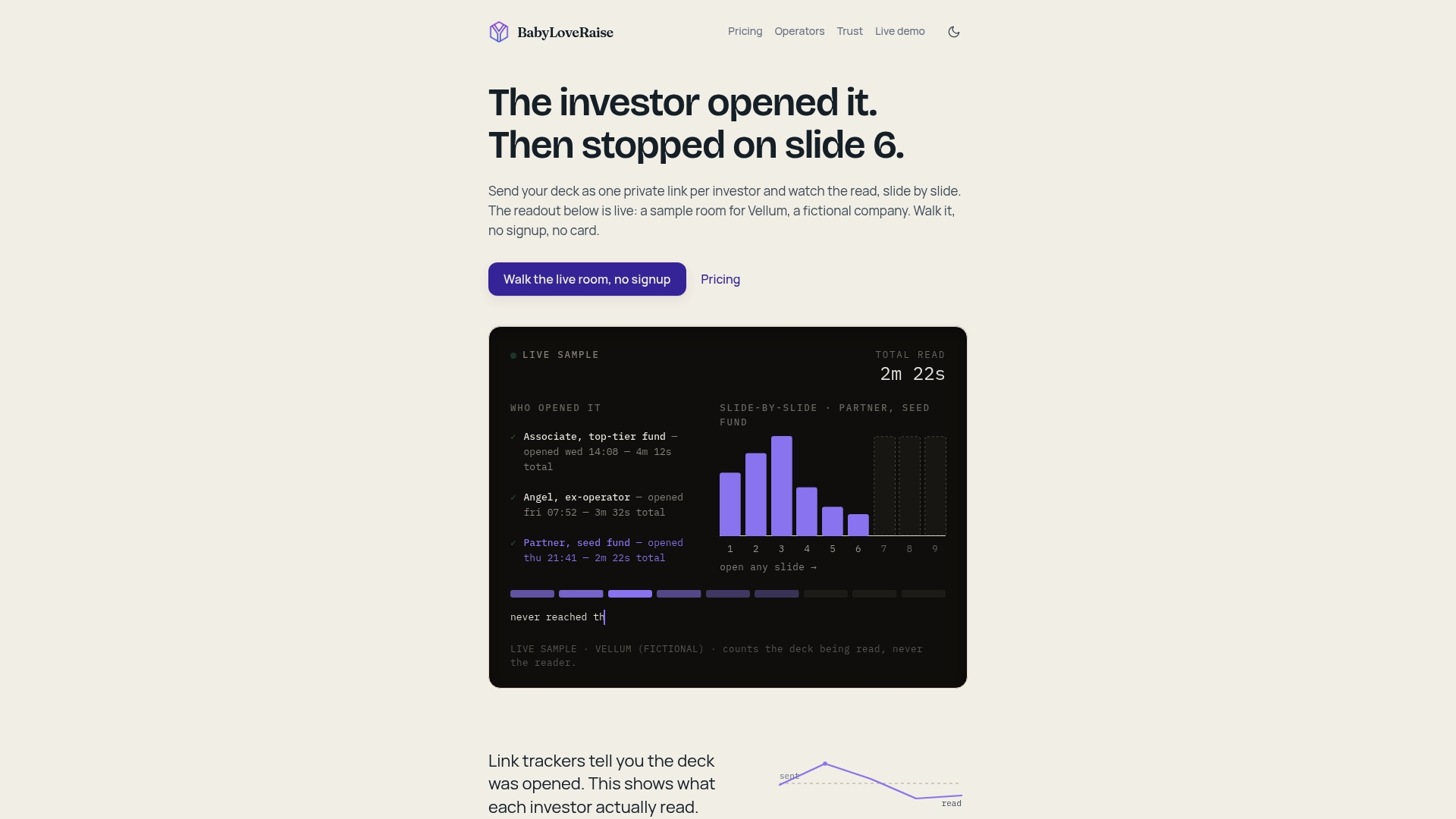
- One shared, persistent link that replaces scattered PDF versions
- Configurable notifications: instant alerts or daily digest
- CRM-ready tagging for first read, warm, and repeat views
- An Operator tier for advisors running multiple client raises
- Optional editorial passes for founders who want help sharpening the deck itself
Set up your first raise room and send your next investor update through a link that actually tells you what happened after you hit send, at BabyLoveRaise.
Useful Sources for Deeper Setup and Strategy
- Pitch deck tracking without turning investors into profiles: privacy-safe tracking guidance
- Investor Follow-Up Strategy for Seed Founders: timing and outreach templates
- Investor Tracking Software: A 2026 Guide: CRM integration examples
- View vs Impression: how to read dwell time versus passive opens
Frequently Asked Questions
How do I get notified when an investor opens my pitch deck? Share a persistent tracked link or raise room instead of a PDF attachment, then enable email or in-app notifications inside that room’s settings.
What’s the difference between a reading deck and a presentation deck? A reading deck is the version investors receive to review on their own, with more text and context. A presentation deck is built for a live pitch, with fewer words per slide and heavier reliance on you talking through it.
Do pitch deck read receipts show exactly what an investor is thinking? No. A deck read receipt shows document behavior, open time, and per-slide dwell, not intent. Treat it as one signal alongside email replies and referral context.
How often should I check pitch deck engagement notifications? Check instant alerts for warm intros immediately, but review broader digest notifications once a day so you’re not interrupted by every low-priority open.
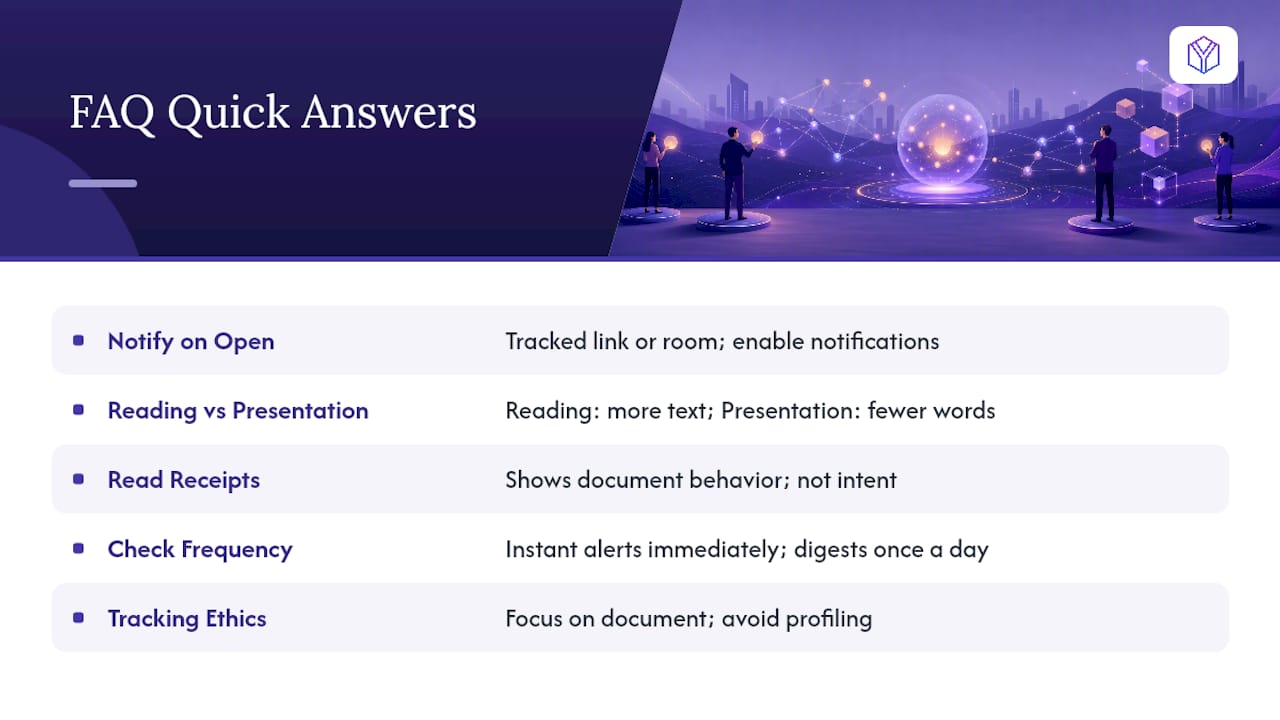
Is it ethical to track who opens my pitch deck? Yes, as long as reporting stays focused on the document rather than building a profile of the individual, and you avoid making surveillance-style claims in follow-up outreach.