
Founders: Per Slide Tracking, Virtual Data Room vs Google Drive
Founders: choose between a virtual data room and Google Drive for your raise. Learn when document controls, per slide engagement, and per raise pricing...
August 31, 2026 · 7 min read

If more than a handful of investors will touch your documents, or you expect formal diligence, use a virtual data room; a founder sharing a deck with a few angels can usually stick with Google Drive. The deciding factors are audit granularity, document-level permissions, and NDA gating, the three controls Google Drive was never built to provide. Standards like ISO 27001 and tools like BabyLoveRaise’s raise room exist precisely to close that gap.
TL;DR:
- Virtual data rooms offer document-level permissions, watermarking, NDA gating, and detailed analytics, unlike Google Drive’s folder-based sharing.
- They provide security features like encryption, SOC 2 certification, redaction tools, two-factor authentication, and IP restrictions, ensuring better legal compliance.
- Costs for data rooms vary greatly, often between $100 and $5,000 per month, with additional setup, export, extension, or overage fees, unlike Google Drive’s flat fee.
- Use Google Drive only for informal sharing of non-confidential documents with fewer than ten people; switch to a data room for formal diligence with institutional investors.
- Evaluate data rooms quickly by testing watermarking, instant revocation, audit logs, and reviewing policies on exportability and long-term access before committing.
Table of Contents
- Virtual Data Room vs Google Drive: The Core Control Differences
- Security, Compliance, and Audit: The Measurable Gaps
- Data Room Pricing Options vs Google Drive’s Flat Fee
- When Google Drive Is Fine, and When You Need a VDR
- How to Evaluate a Data Room Before You Commit
- How a Raise Room Solves the Same Engagement Problem
- The Real Mistake Founders Make With Data Rooms
- Try BabyLoveRaise for Your Next Raise
- Sources
Virtual Data Room vs Google Drive: The Core Control Differences
Google Drive shares at the folder level. A virtual data room shares at the document level, and that distinction changes what you can safely put in one room.
With Drive, once someone has folder access, they generally see everything in it, and revoking that access after a download is already out the door does nothing. A VDR lets you lock print and download on a single confidential file while leaving a public-facing deck open to the same viewer.
The practical differences that matter for a fundraise:
- Granular permissions: restrict view, print, or download rights per document, not per folder.
- Watermarking: dynamic stamps tie a leaked PDF back to the specific viewer who downloaded it.
- NDA gating: investors must click through a signed agreement before a cap table or financial model unlocks.
- Q&A workflow: centralizes diligence questions in a tracked thread instead of scattering them across email, where context gets lost and nobody can prove who asked what.
Drive can be patched with marketplace add-ons that mimic some of this, but the integrated workflow rarely matches a purpose-built room.
Security, Compliance, and Audit: The Measurable Gaps
The audit trail is where the two options diverge hardest. A VDR logs page-level engagement: who opened the file, how long they lingered on page 14, whether they finished the cap table or bailed after the summary. Google Drive’s activity log tracks opens and edits but not sustained attention, so you can’t tell an investor who read everything from one who skimmed the first page and closed the tab.
The gap in numbers: VDRs offer instant access revocation and page-level engagement analytics that Google Drive simply doesn’t track per participant, according to Technology.org’s breakdown of VDR capabilities.
Document-level controls matter operationally, not just theoretically. A leaked cap table or an uncontrolled forward of a financial model can poison a raise before you know it happened. What to check before trusting a vendor:
- Encryption in transit and at rest, ideally AES-256.
- SOC 2 Type II certification, which confirms controls were tested over time, not just documented once.
- Redaction tools for sensitive fields inside an otherwise shareable document.
- Two-factor authentication and IP restrictions on top of password access.
Data Room Pricing Options vs Google Drive’s Flat Fee
Google Drive’s pricing is simple: a flat monthly fee per user, scaling with storage. Data room pricing is anything but simple, and that’s where founders get burned.
Four billing models dominate the market. Per-page fees run roughly $0.40 to $0.85 per document page in some contracts. Per-user pricing charges for every external reviewer added to the room. Per-GB pricing bills on storage consumed. Flat-rate plans, the closest analog to Drive, charge one fee regardless of usage. Across these models, total VDR cost typically lands between $100 and $5,000 per month, depending on deal size and features.
Watch for the fees that never make it onto the initial quote:
- Setup or onboarding charges billed separately from the subscription.
- Export and archive fees once the deal closes and you want your data back.
- Extension fees if diligence runs past the contracted window.
- Overage charges for storage or user counts that creep past the plan limit.
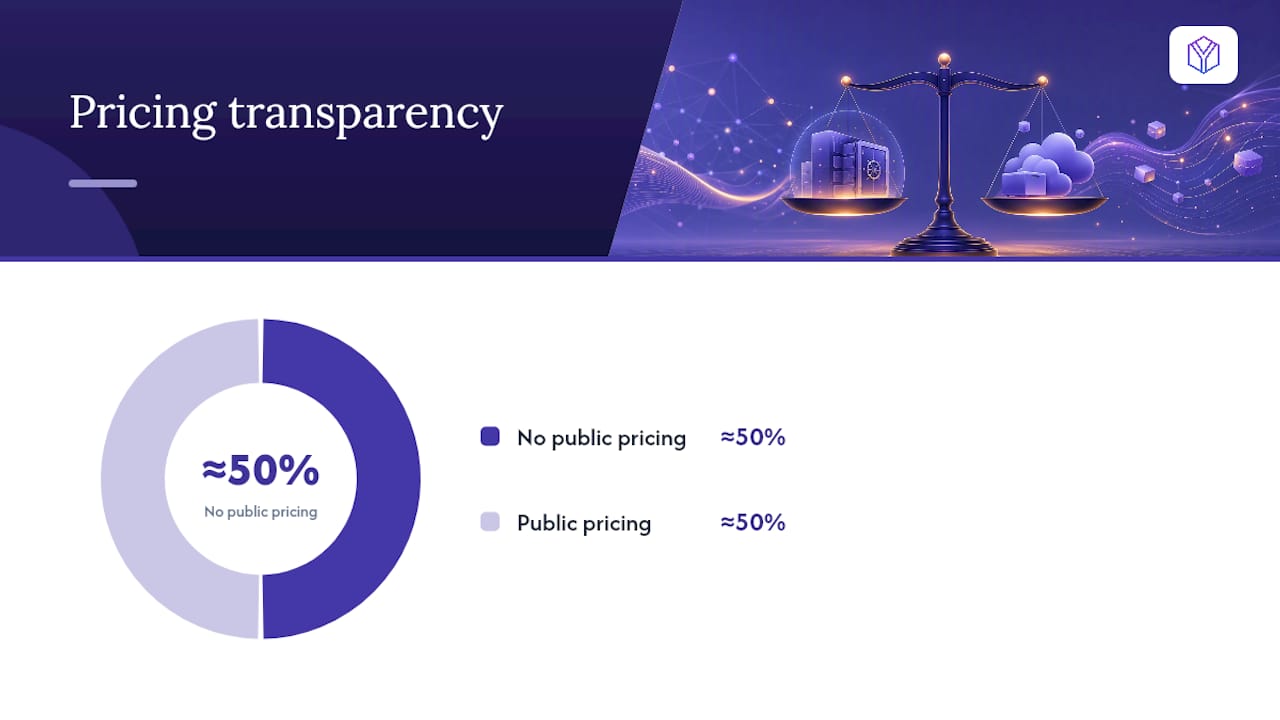
Roughly half the category publishes no public pricing at all, which means every quote needs to be negotiated, not accepted at face value. A small seed raise with three investors rarely needs the same tier as a competitive acquisition auction with forty bidders.
When Google Drive Is Fine, and When You Need a VDR
Not every raise justifies a data room subscription. Here’s how to decide fast.
Google Drive is acceptable when:
- You’re sharing a pitch deck with fewer than ten angels or a single lead investor.
- No confidential financial model, cap table, or IP filing is involved yet.
- The relationship is informal and no formal diligence request has landed.
A VDR becomes necessary when:
- You’re running a priced round with institutional investors who will request formal diligence.
- Multiple parties (lawyers, auditors, competing bidders) need simultaneous, differentiated access.
- You’re managing an acquisition, merger, or any process where document leakage carries real financial or legal risk.
The smartest founders don’t wait for a diligence request to make the switch. Setting up a room proactively signals organizational maturity before anyone asks for it, and it means you’re not scrambling to migrate files mid-negotiation.
Pro Tip: Match the tool to the document, not the whole deal. You can run early conversations on Drive and only stand up a full room once a term sheet or LOI puts real documents in motion.
How to Evaluate a Data Room Before You Commit
Run this in 48 to 72 hours, not weeks.
- Ask vendors directly: does pricing count external reviewers, and what happens if diligence runs long?
- Confirm the export policy. Can you pull every file and log when the deal closes, without a fee?
- During the trial, actually test watermarking, instant access revocation, and page-level audit logs, not just the sales demo version.
- Check bulk upload, folder templates, and single sign-on support for your existing tools.
- Simulate a live diligence request: invite a lawyer or advisor and time how long onboarding actually takes.
For a fuller breakdown of documents to organize before you start this process, see this due diligence checklist.
How a Raise Room Solves the Same Engagement Problem
Most VDR features were built for M&A, not for a solo founder’s pitch deck. BabyLoveRaise built a raise room around the specific gap that matters most in fundraising: not knowing whether silence means “never opened it” or “read every slide and passed.”
- Per-slide dwell tracking shows exactly where attention dropped off.
- First-read notifications tell you the moment an investor opens the deck.
- Per-raise pricing avoids the per-seat cost structure that penalizes a growing investor list.
- An Operator tier lets fractional CFOs run branded rooms across multiple client raises.
- Optional concierge services cover deck editorial passes for founders who want a second set of eyes.
The Real Mistake Founders Make With Data Rooms
Founders treat document sharing as an afterthought until an investor asks for diligence, and by then the deck has already gone out five different ways with no way to tell who actually read it. Set up your room at the outset. Structure folders around the diligence topics investors always ask about, run a short trial with counsel and one trusted investor contact before the real window opens, then let engagement signals, not guesswork, tell you who to follow up with first.
— Paul
Try BabyLoveRaise for Your Next Raise
BabyLoveRaise charges per raise, not per seat, so adding investors to your room doesn’t quietly inflate your bill the way per-user data room pricing does. You get per-slide engagement analytics and first-read alerts built specifically for a fundraise, plus an Operator tier if you’re a fractional CFO running rooms across several client raises.
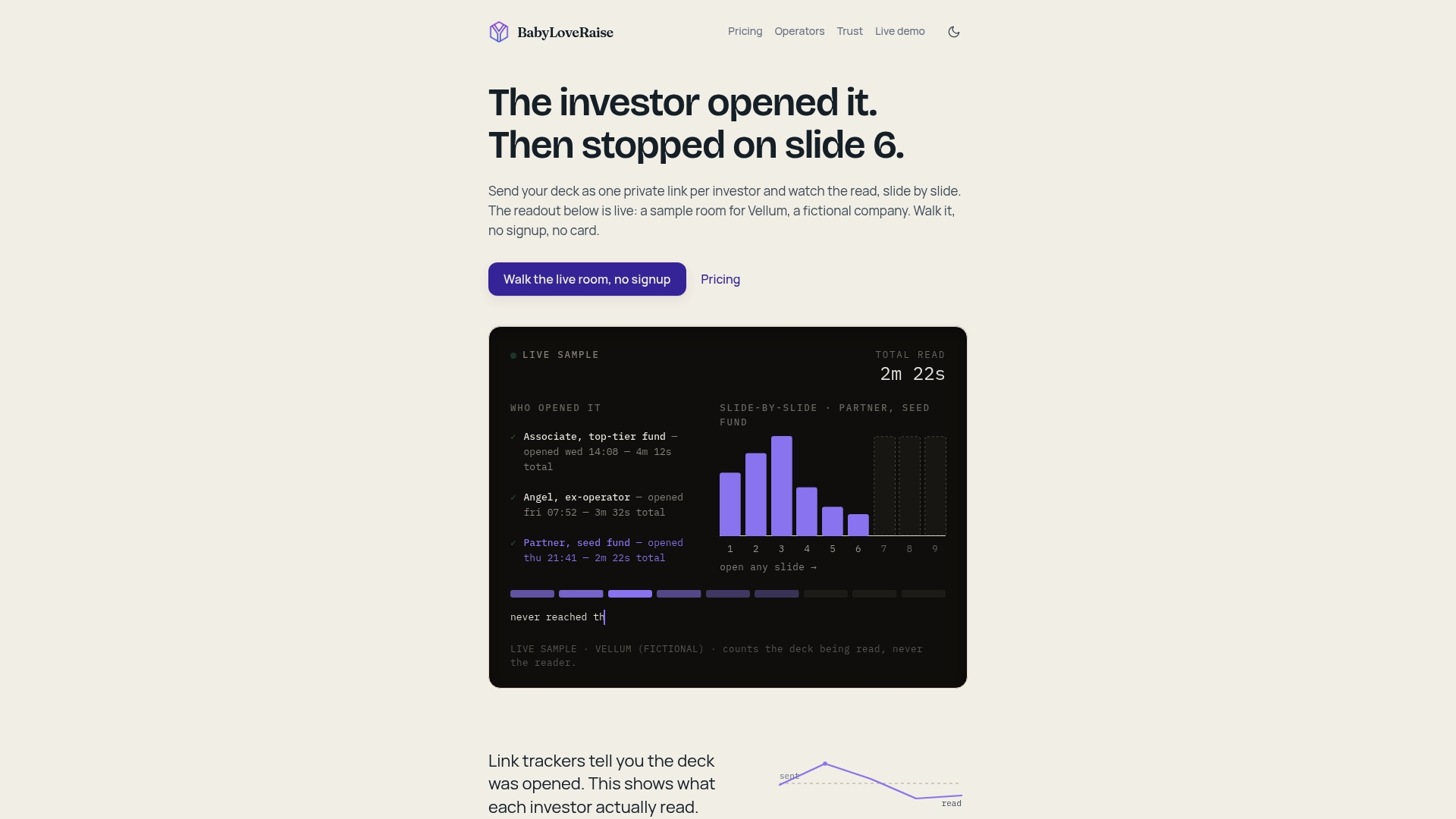
When your raise closes, the room converts to a free permanent archive instead of hitting a paywall. Before you sign up anywhere, always confirm trial length and export policy directly with the vendor. You can start a room and see the dashboard yourself at BabyLoveRaise.
Sources
- A Complete Guide to VDRs for Startups and Enterprises - Technology Org
- Virtual Data Room Pricing 2026: What You’ll Really Pay - CapLinked
- Datarooms