
Forwardable Deck Links Let Founders Revoke and Track Investor Reads
Choose a forwardable deck link for each fundraising moment, set view only access, revoke it later, and use investor read signals to guide follow up.
October 17, 2026 · 9 min read

The simplest forwardable deck link is a browser-viewable URL to a PDF or published presentation, set to view-only, with one clear next step in your message, such as a call. Links can be revoked later, but they cannot stop screenshots or confirm who is really reading. Treat the link as reversible delivery, not as a vault.
TL;DR:
- Send a condensed PDF after an initial conversation or investor request; reserve live presentation slides for calls and fuller decks for postmeeting follow up.
- Check whether access is public, limited to your organization, or restricted to named recipients; disable downloads when available and know how to revoke the link.
- Prioritize alerts for first opens, named viewers, completion, and slide attention, but treat forwarded viewers as possible leads, not confirmed identities.
- Keep the email brief: explain why you contacted the investor, state the expected read time, and include one next step, such as booking a call.
- For crowdfunding or other regulated offerings, consult securities counsel because a deck link does not replace required disclosures; test permissions and mobile display before sending.
BabyLoveRaisebabyloveraise.comKnow Which Investors Read Your DeckBabyLoveRaise tracks first reads and per-slide engagement in a hosted raise room, helping founders distinguish unopened decks from completed reads.Explore investor deck tracking
Table of Contents
- Which deck and link should you send right now?
- How do you create a forwardable link step by step?
- Which permissions keep a link usable but revocable?
- Which analytics should drive your follow-up?
- When should you send the link, and what should the message say?
- What should you verify before you hit send?
- Why a link beats an attachment in a real raise
- Forwardable links and raise analytics from BabyLoveRaise
- FAQ
- Sources
Which deck and link should you send right now?
Pick the deck by the moment you are in, then pair it with the matching link. Founders can use different versions for different moments, and each one has a job.
- Teaser: a brief PDF for cold outreach. Use a short preview link or an embed in the email body, and keep the full story back.
- Send-ahead: a condensed investor-facing PDF that reads well without you narrating it. Share it as a view-only browser link and tell the reader the expected read time in your email.
- Presentation: the live deck you screen-share on a call. Do not send it as a standalone link unless an investor asks, because slides built for talking often make little sense alone.
- Leave-behind: the fuller deck plus an appendix, sent after a meeting. Use a private link or per-recipient access so you know which version each person saw.
If you are unsure, default to the send-ahead. It is the version most likely to be forwarded inside a firm, so it has to stand on its own.
How do you create a forwardable link step by step?
Start with a PDF. Microsoft Support describes browser-viewable URLs as the simplest forwardable method, and a PDF export is the most reliable default for preserving layout across devices. Fonts, hyperlinks and embedded video are where decks break, so check each on both phone and desktop.
Next, upload the PDF to a cloud host and use its share feature. In Microsoft’s documented flow, you choose Share, then Copy link, and pick permissions such as Can view or Can’t download. A managed link is also reversible in a way attachments are not: you can change permissions or stop access later, while an attachment leaves copies you can never recall.
If you need live animations or embeds, you can publish to the web instead. That creates a public browser view you can later shut off by removing permissions, but anyone holding the URL can open it, so use it sparingly.
- Export the deck as a PDF.
- Upload it to your cloud host.
- Set permissions to view-only and disable download if the host allows it.
- Copy the share link.
- Open it in a fresh browser session and confirm it loads.
Pro Tip: Before pasting the link, check the default permission the host applied. Many tools default to “anyone with the link,” which may be broader than you intended.
Which permissions keep a link usable but revocable?
Your goal is a link that opens with zero friction for the investor and that you can close on your side at any time. These settings do most of the work:
- Set view-only as the default, and turn off download where the host supports it.
- Use named or per-recipient links when you want to know who received which version.
- Add a password or an expiration date for extra control on sensitive material.
- Confirm whether the link is public, organization-restricted or named-recipient-only before you send.
- Know how to stop sharing, and review who currently has access.
Microsoft documents the revocation path as Share, then Manage Access, then Stop sharing, which makes a link far safer than a file you cannot pull back.
Access control, not secrecy, is the realistic goal: links can be revoked, password-protected or restricted, but a browser viewer cannot prevent screenshots or a forwarded URL. Plan for that, and never put anything in the deck you could not live with being shared.
For a deeper walkthrough of permission tiers, see our guide to pitch deck access control for investors. If leaks are your main worry, our piece on private pitch deck links covers when a private register beats a forwardable one.
One more caution matters if you are running a regulated offering such as a crowdfunding round. The SEC’s investor bulletin on Regulation Crowdfunding makes clear that private offerings and crowdfunding have their own disclosure and communication frameworks, so a casual deck link is not a substitute for required disclosures. Check with your securities counsel before you rely on a link in that setting.
Which analytics should drive your follow-up?
A link that tells you nothing after you send it leaves you guessing. A few signals are worth watching, in roughly this order of importance:
- First read: a notification the moment someone opens the deck for the first time. This is your cue to be ready for a reply.
- Who opened: which named recipients actually looked, as opposed to who simply received the email.
- Read to the last slide: the strongest sign of real interest, because it separates a skim from a full read.
- Per-slide attention: where viewers lingered and where they drifted away.
Forwarded links need careful reading. If your link reaches someone you did not email, the analytics show an extra viewer, not a confirmed identity. Treat that person as a possible new prospect worth a gentle, curious message, never as a verified contact. This is also why analytics are signals, not proof.
Per-slide attention doubles as editing feedback. If viewers consistently stall on a slide, the narrative may have lost them there, so tighten or reorder it. Our guide to tracking who reads each slide goes deeper, and pitch deck version control helps you keep revisions organized as you iterate.

Other tools have built similar engagement tracking for different workflows. TrailerCast’s demo-for-CFOs resource shows how buyer-facing deal rooms with engagement analytics work in B2B sales, a useful comparison when you evaluate sharing workflows.
Pro Tip: Send your first follow-up to people who read to the last slide or spent real time on your traction and market slides. Those readers have already done the work of getting interested.
When should you send the link, and what should the message say?
Resist the urge to blast a full deck at strangers. The strongest pattern is to send a condensed send-ahead after an initial conversation or when an investor asks, so the link continues a dialogue instead of replacing one.
Keep the message short. A good one holds only a few elements:
- A respectful opener that names why you are writing to this investor.
- One line of context on what the company does and what you are raising.
- The expected read time, for example, a brief read, so the reader knows the cost.
- A single call to action, such as a call or a calendar link.
- No attachments. Include the forwardable link and nothing else.
An investor who sees a clear time cost and one easy next step is far more likely to reply than one who faces a bulky attachment and an open-ended ask. If the link is forwarded internally, the same single CTA still travels with it.
What should you verify before you hit send?
Run this check every time, even on a deck you have sent before, because host settings and files drift.
- Open the link in an incognito window and confirm it loads without a login you did not intend.
- Open it on your phone and check layout, fonts and tappable links.
- Confirm the permission scope: public, organization-restricted or named recipients.
- Revoke access, then reload the link to prove it stops working.
- Scan for video fallbacks, expiration dates and watermarking if you use them.
If any step fails, fix it before the email goes out, since you rarely get a second first impression with an investor.
Why a link beats an attachment in a real raise
I treat the forwardable link as a delivery mechanism with a job: it carries one line of context and one call to action, and it triggers a follow-up routine. When the first-read alert arrives, you reach out. When someone reads to the end, they go to the top of your list. When a slide loses people, you edit it.
The deeper point is choosing reversible, measurable controls over permanent attachments. A PDF in an inbox is a copy you will never see again. A link you can revoke and track turns a silent send into a feedback loop, and that matters most to solo founders who have no cofounder to tell them how the deck landed.
— Paul
Forwardable links and raise analytics from BabyLoveRaise
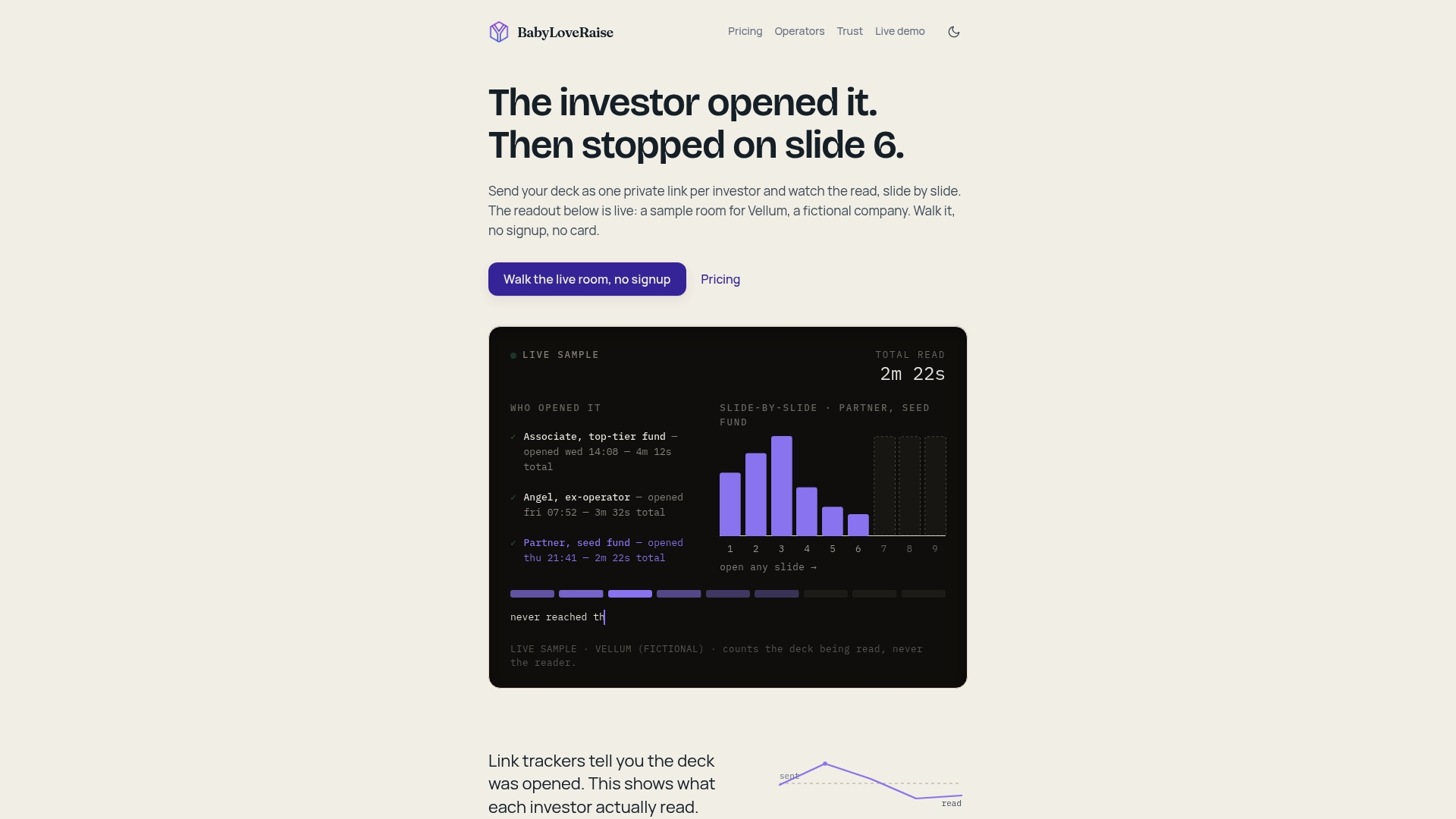
We built our raise room around exactly this workflow. You get link registers for first sends, forwardable links and private links, first-read notifications, per-slide engagement analytics, measured watermarking for downloads, and a free permanent archive once your raise closes. Founders can see plans on our pricing page, and advisory firms running several client raises can look at our operator seats. Check availability and start your room today.
FAQ
What is a forwardable deck link?
A forwardable deck link is a browser-viewable URL to your deck that an investor can open without installing software and pass to a colleague. It works best set to view-only, with a clear next step in the message. Because it can be forwarded, treat who opens it as a signal, not proof of identity.
What is the best format for sharing a pitch deck online?
A PDF opened through a browser link is the most reliable default because it preserves layout across phones, tablets and desktops. Microsoft Support points to PDF export for that reason. Test fonts, hyperlinks and video fallbacks before sending.
Can you stop someone from forwarding or screenshotting your deck?
No. You can restrict access, add a password or expiration, and revoke the link later, but a browser viewer cannot block screenshots or a forwarded URL. Share only what you could live with becoming wider knowledge.
Should you send a forwardable link or a PDF attachment?
Send the link. A managed link can have permissions changed or access stopped, while an attachment creates copies you cannot recall. The link also lets you see opens and read-through, which an attachment never will.
When should a founder send the deck link to an investor?
Usually after an initial conversation or when the investor asks, not as an unsolicited cold send. Share a condensed send-ahead with the expected read time and one call to action. This keeps the link as the start of a conversation.