
Watermarked Pitch Deck: What to Say, Where to Put It
How to watermark a pitch deck without hurting readability: wording, placement, per-investor marks, a pre-send test, and what a watermark can and cannot stop.
November 2, 2026 · 13 min read

A watermarked pitch deck carries a faint mark on every slide, such as “Confidential” or the recipient’s name. The mark discourages casual forwarding and helps you trace a copy if one surfaces. It does not make copying impossible. The best setup keeps the mark light enough that investors can read every chart, and pairs it with access controls and a record of who opened what.
This guide covers the practical decisions: the wording, the placement, whether to mark each investor’s copy separately, how to test the file before it leaves your outbox, and which kinds of tools do the job.
BabyLoveRaisebabyloveraise.comKnow How Investors Read Your DeckShare your pitch deck in a raise room with measured watermarks and slide-by-slide engagement, so you can follow up with context.Explore the raise roomTL;DR
- Use a short, low-contrast mark: “Confidential” for a general send, or “For [Investor Name] Only” when you can make one copy per recipient.
- Keep it away from charts, financial tables and the key number on each slide. A heavy mark makes a deck harder to read and can signal distrust.
- A watermark deters and traces. It cannot stop a screenshot or a conversation, so pair it with link-based access and engagement records.
- Before sending, open the file on a phone and a laptop, and strip metadata such as author names and save paths.
- Keep a log of which version went to which investor, so a per-recipient mark is never sent to the wrong person.
Table of Contents
- Why founders watermark a deck at all
- What the watermark should say
- Where to put it and how strong to make it
- Static marks versus a mark per investor
- What a watermark cannot do
- Test the file before it goes out
- Tools by type
- A simple plan by stage
- Perspective
- Run your raise from one room
- FAQ
- Sources
Why founders watermark a deck at all
There are two reasons, and they are different.
The first is legal posture. In the United States, trade-secret protection depends on information having value because it is not generally known, and on the owner taking reasonable steps to keep it that way. The USPTO’s Trade Secret Intellectual Property Toolkit lists marking confidential materials among those steps, next to limiting access, confidentiality agreements and digital-access controls. A watermark is one visible piece of that picture. It is not a substitute for the others, and it is not legal advice. If your deck contains genuinely proprietary technical detail, talk to a startup attorney about what to disclose and when.
The second reason is practical. A mark tells the reader that this is a private document, and a mark with a name on it tells the reader that the copy is traceable. Most investors will never leak anything. The mark is a small nudge for the few who might forward a deck to a competitor, a portfolio company or a friend without thinking.
Be honest about the trade-off too. Most seed investors see dozens of decks a week and expect them to be shared in confidence without any marking. Many will not sign an NDA at the first meeting, and a loud watermark can look like you are worried about the wrong thing. That is why the design of the mark matters more than the fact of having one. We cover the NDA question in more depth in our piece on three-tier investor deck confidentiality.

What the watermark should say
Short beats clever. Three wordings cover almost every case.
“Confidential.” The default for a first send to many investors. One word, no clutter, clear signal.
“Confidential, [Investor Name] only.” Better when you can produce one copy per recipient. It adds a trace: if the deck turns up somewhere it should not be, the name on the page tells you which copy it came from.
A mark with name, date and time. Enterprise software uses this pattern. Microsoft documents a protection watermark as a semi-transparent overlay meant to deter unauthorized sharing, and its default text is a “Confidential” notice followed by the username and a timestamp (Microsoft Learn). For a pitch deck, that level of detail is usually too much on every slide, but it is a useful model for a private, later-stage send such as a data-room preview.
What to avoid: legal paragraphs across the slide, all-caps warnings in red, and anything that reads as a threat. If you want legal language, put it in a short disclaimer on the first or last slide. Our guide to pitch deck disclaimers covers what to say and where.
Where to put it and how strong to make it
There are two common placements, and each has a job.
| Placement | Best for | Watch out for |
|---|---|---|
| Diagonal across the center | Deterrence; hard to crop out | Can cover charts, tables and headline numbers |
| Small, in a corner or footer | Readability; a trusting tone | Easy to crop in a screenshot |
| Tiled, repeated small marks | Surviving a crop of any part of the page | Visual noise on dense slides |
A reasonable starting point for a diagonal mark is roughly 20 to 30 percent opacity at about 45 degrees, in a mid-gray that works on both light and dark slides. Then check it slide by slide. The slides most at risk are the ones with data: the traction chart, the unit economics table, the financial summary. If the mark crosses a number, move or shrink it on that slide.
A simple rule: if an investor squints, the mark is too strong. Investors skim a deck in a few minutes, often on a phone. A watermark that competes with the content costs you more than it protects.
If you want a middle path, use a discreet corner mark on every slide and keep the diagonal for the few slides that carry your most sensitive material, such as detailed financials or an unannounced customer. Many founders simply hold those slides back until a second conversation, which is the strongest control of all.
Accessibility and screen readers
If you export a PDF, remember that a watermark is often just a graphic layer. Anything a reader needs to know, such as a confidentiality notice with legal weight, should also exist as real text in the document body so that a screen reader or a text search can find it. Do not rely on the watermark alone to carry important information.
Static marks versus a mark per investor
A static watermark is the same on every copy. You make one file, send it to everyone, and the mark says “Confidential.” It is fast, and it is hard to get wrong.
A per-recipient watermark is different on each copy. It says “For [Investor Name] Only,” or carries a code only you can match to a name. It gives you traceability, which is the real power of a mark. If a deck leaks, you know whose copy it was.
The cost is operational. Every investor needs a separate file, and a mistake is easy to make: the copy marked for one firm goes out to another. That is embarrassing at best, and it quietly destroys the traceability you set out to get. If you go this route, build a simple discipline:
- Keep a spreadsheet with one row per investor: name, firm, date sent, file name, version of the deck.
- Name each file with the recipient and the deck version, for example “Deck_v7_Firm-Name.pdf”.
- Before sending, open the file and read the watermark aloud against the recipient’s name.
- Never attach a file from your “sent” folder to a new email as a shortcut.
Version hygiene matters for the same reason. If three versions of your deck are in circulation and nobody can say which investor holds which, you have lost both control and credibility. Our pitch deck version control guide walks through a workable system, and the write-up on traceable deck watermarks lists the five records worth keeping so you can follow up with the right people.
What a watermark cannot do
This is the part that is easy to skip and costly to ignore.
A watermark does not stop someone from taking a screenshot, photographing a screen, retyping your numbers or describing your idea to a colleague. Some investors and advisers argue that ordinary deck watermarking has limited practical value for exactly this reason, and that the surest protection is not putting your most sensitive details in a first-contact deck at all. That is a fair point, and it fits how most seed rounds work: the first deck sells the story and the opportunity, while the deepest technical and financial material comes later, to people who have shown real interest.
So think of a watermark as one layer in a stack:
- Content discipline. Leave out what you cannot afford to see repeated.
- Access control. Share through a link you can turn off, rather than a file that lives forever in someone’s inbox. See our guide to setting up pitch deck access control.
- Download policy. Decide deliberately whether a PDF should leave your control at all. We lay out the trade-offs in should you allow pitch deck downloads.
- Visible marking. The watermark, for deterrence and tracing.
- Records. Who opened the deck, when, and how far they read.
On screenshots specifically, no document setting is airtight. What you can do is reduce exposure and keep a record. Our piece on how to prevent deck screenshots and track who reads each slide goes through the realistic options.
Test the file before it goes out
A two-minute check prevents most embarrassing mistakes.
- Phone test. Open the file on your phone. Can you read every chart and caption with the mark in place?
- Dark and light slides. Scroll through the whole deck. A gray mark that works on white may vanish on a dark slide, or shout on a photo.
- Number check. Confirm that the mark does not sit on top of a key figure, a date or a footnote.
- Recipient check. For a per-investor mark, confirm the name is spelled correctly and matches the person receiving it.
- Metadata check. Open the file properties. Author names, the software used and local save paths can travel inside a file. Remove them with a metadata-cleaning step before you export the final copy.
- Search test. Try selecting text and searching for a word. If you flattened the deck to images, check that the file is still a reasonable size and still loads quickly.
- Send a copy to yourself. Open it from your email on a second device as the investor would.
A slow-loading, 80 MB deck with a heavy mark on every page is a worse first impression than an unmarked 3 MB file.
Tools by type
You do not need a specialist product to put a mark on a deck, and the right choice depends on how many investors you are sending to.
Your slide editor. Most presentation software lets you add a text box or image to the slide master, so the mark appears on every slide. This is free, fast and good enough for a static “Confidential.” The weakness is that the mark lives in an editable file, so export to PDF before sending.
A general PDF editor. Paid PDF editors include watermark tools with control over text, opacity, rotation and which pages receive the mark, and many offer batch processing. They suit a founder who sends a handful of per-investor PDFs. Pricing varies by vendor and plan, and many offer trials, so check the vendor’s current pricing page before you commit.
A free online watermark utility. Handy for a one-off, but you are uploading a confidential deck to a third party. Read what the service says about file retention before you do it, and think twice for a deck with real financials.
A hosted deck room. Instead of producing a marked file per investor, you send a link. The viewing environment can show a recipient-specific mark, you can switch access off, and you get a record of who opened the deck and which slides they read. This removes the file-per-investor juggling and the wrong-copy risk. It is the approach we built BabyLoveRaise around.

The right answer for many founders is a mix: a clean static mark for early outreach, and a link-based room for investors who have asked for more. For a closer look at link settings, see our guide to private pitch deck links.
A simple plan by stage
Cold or warm first send. Share a link or a lightly marked PDF with a small corner “Confidential.” Keep the deck to the story and the proof. Hold back sensitive detail.
After a first call. Move to per-investor access. Whether that is a named copy or a named link, you now want to know who has it.
Deep diligence. Share detailed financials and technical material in a controlled setting, ideally with an agreement in place. A visible mark is a supplement here, not the control.
Perspective
We think the watermark debate is framed the wrong way around. The question is rarely “mark or no mark.” It is “what do I actually know after I send?”
A solo founder sending a PDF goes dark the moment the email leaves. There is no way to tell the difference between an investor who never opened the deck and one who read every slide and passed. A watermark does nothing about that silence. It only says the file is private.
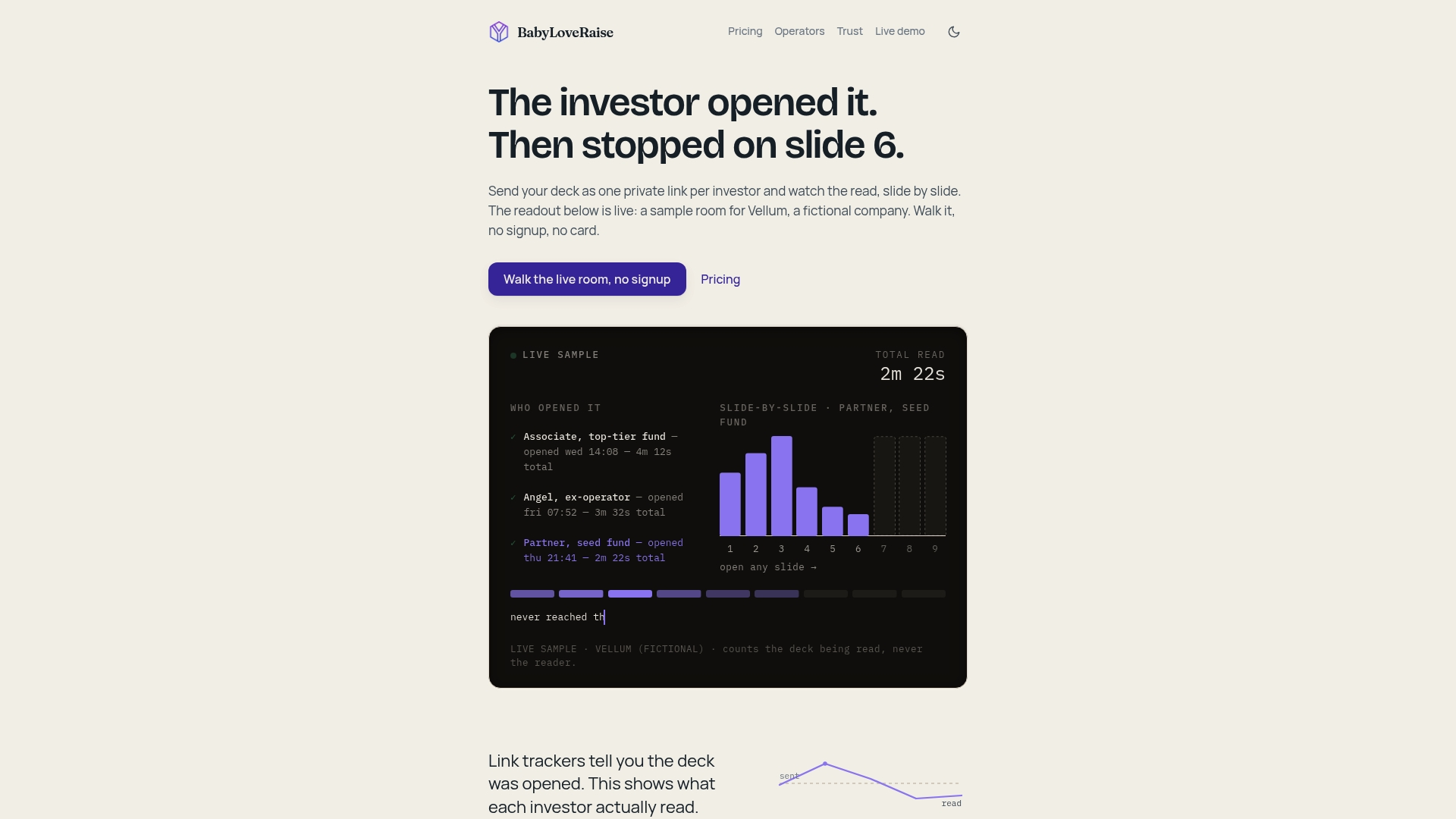
That is why our rooms treat the mark as one setting, not the whole strategy. A recipient-specific mark sits on the document, tracking reports on the document rather than on the person, and the owner dashboard shows who opened it, who reached the last slide and which slides held attention. Share links come in three registers (first send, forwardable, private), and downloads can carry a measured watermark, so you choose how much friction each investor gets.
Used that way, a mark is a trace and a courtesy. The follow-up, and the next revision of your deck, is driven by what readers actually did.
Paul
Run your raise from one room
If you are sending a deck to more than a few investors, the file-per-recipient approach gets fragile fast. The BabyLoveRaise raise room gives you one link per send, a first-read notification, per-slide engagement, and a watermark option on downloads. It costs $149 per month or $399 per quarter, priced per raise rather than per seat forever, and the room converts to a free permanent archive when your raise closes. See current plans on the pricing page. Advisory firms running several client raises can look at the operator plans, and our trust page explains how we handle tracking.
FAQ
Should I watermark my pitch deck?
For most founders, a light “Confidential” mark or a per-investor name is reasonable, as long as it does not hurt readability. It is a deterrent and a way to trace a copy, not a lock. If your deck contains something you truly cannot afford to see repeated, leave it out of the first send rather than relying on a mark.
What should a pitch deck watermark say?
Keep it short: “Confidential” for a broad send, or “For [Investor Name] Only” when each recipient gets a separate copy. Put longer legal language in a short disclaimer on the first or last slide instead of across every page.
Will a watermark stop investors from sharing my deck?
No. It can discourage forwarding and help you identify the source of a leaked copy, but anyone can photograph a screen or describe your idea. Use it together with link-based access, a considered download policy and a record of who opened the deck.
Does a watermark protect my trade secrets?
It can help. The USPTO lists marking confidential materials as one example of the reasonable efforts that trade-secret protection depends on, alongside access limits and confidentiality agreements. It is only one part of that effort, so ask a startup attorney how to handle genuinely proprietary material.
How do I avoid sending the wrong investor’s copy?
Name each file with the recipient and version, keep a log of what went to whom, and read the watermark against the recipient’s name before you hit send. A link-based room removes this step, since each recipient gets their own link instead of their own file.