
Should You Allow Pitch Deck Downloads? A Founder's Guide
Should investors be able to download your pitch deck? Learn when to allow downloads, how watermarks and access controls help, and how to share a financial model safely.
October 28, 2026 · 13 min read

You can allow pitch deck downloads without losing control of the deck, but only if each download is tied to a named person, carries a watermark and shows up in your activity log. A blanket yes means your deck travels where you can’t see it. A blanket no frustrates the investor who wants to read on a flight or forward it to a partner. The workable middle is to decide download rights per investor and per stage of the conversation.
This guide is for founders raising pre-seed or seed rounds in the US. It covers when downloads make sense, which controls to switch on first, and how to treat a financial model differently from a deck.
BabyLoveRaisebabyloveraise.comShare Your Deck With More ClarityBabyLoveRaise tracks first reads and per-slide engagement, with measured watermarks available for downloads shared during your raise.Explore BabyLoveRaiseTL;DR
- Keep downloads off for a first send. Turn them on for investors who have opened the deck, read to the end or asked for a copy.
- Watermark every downloadable file so a leaked copy points back to the person who received it.
- Give access by need, not by default. Your financial model, cap table and legal documents deserve tighter rules than your deck.
- Track what happens after the link goes out. Who opened it, how far they read and which slides they skipped tells you who deserves a download.
- Decide before you send. Changing permissions after a deck is already in someone’s inbox is much harder.
Table of Contents
- Why downloads are a real decision, not a checkbox
- Three ways to handle downloads
- What to check before you share anything
- The controls that make downloads safe enough
- Sharing a financial model is a different problem
- Balancing convenience and security in practice
- Our perspective
- Setting this up in a raise room
- Using engagement data to decide who gets a copy
- A short setup checklist
- FAQ
- Sources
Why downloads are a real decision, not a checkbox
Most founders treat the download toggle as a setting to leave on the default. That default is usually the wrong one for fundraising, because a deck is not a brochure. It holds your traction numbers, your pricing logic, your competitive framing and sometimes your hiring plans. Once a PDF is saved to someone’s laptop, you lose three things at once: you can’t update it, you can’t see who reads it next, and you can’t pull it back.
The other side is real too. Investors are busy. Many read decks on a phone between meetings, and some want to annotate a copy or drop it into an internal memo before a partner meeting. A deck that can only be viewed in a browser tab, behind a login, can read as friction. At pre-seed, where an investor may see dozens of decks a week, friction costs you attention.
The question is therefore not “download or no download.” It is: who gets a copy, at what moment, and in what form.
Three ways to handle downloads
In practice, founders land on one of three approaches. Each has a place.
| Approach | What the investor gets | Best for | Main risk |
|---|---|---|---|
| View only | Browser-based reading, no file | First send to cold or unknown investors | Some readers find it inconvenient |
| Watermarked download | A PDF stamped with the recipient’s identity | Investors who engaged and want to circulate internally | A watermark deters leaks but does not make a copy impossible |
| Open download | A clean file | Warm, trusted relationships; public decks | The file can travel anywhere, unlabeled |
The research here is consistent. One security guide notes that disabling downloads entirely gives the strongest protection, and that allowing watermarked PDFs for engaged investors balances document protection with investor convenience. That matches how most founders actually behave: strict at the start, looser as trust and interest build.
A useful rule: the more the investor has shown real interest, the more you can loosen. And since you can’t know that without data, you need the tracking to make the call.
A simple escalation ladder
- First send. View-only room link. You learn who opened it and how far they got.
- Engaged reader. They finished the deck, came back a second time or replied with questions. Offer a watermarked download.
- Active diligence. They are asking for the model and supporting documents. Move to a structured data room with role-based access, and keep a log of what each person opened.
This ladder also solves the awkward moment when a promising investor asks, “Can you just send me the PDF?” You can say yes, and you can say it with a version that has their name on it.
What to check before you share anything
The US Federal Trade Commission’s small business security guidance gives the habit that matters most: identify your sensitive assets first, then limit access to the people who need them. That sounds abstract, but for a founder it is a short checklist.
Sort what is in the deck. Walk through every slide and ask whether an investor needs it to decide on a first meeting. Customer names under NDA, individual salaries, unannounced partnerships and detailed hiring plans often don’t belong in the first-pass deck. If something is only needed in diligence, move it out of the deck and into a later-stage room.
Decide what a baseline data room contains. One widely read seed fundraising guide describes a baseline room as the deck, a financial model with at least a 12-month projection, a cap table and the relevant legal documents. Treat those as separate assets with separate permissions, not one folder shared with everyone.
Check who will receive the link. Links get forwarded. Before you send, ask whether you would be comfortable if the link reached the investor’s colleague, their co-investor or their portfolio founder. If not, restrict that link to a named email or use a version that cannot be forwarded freely.
Decide your confidentiality stance. Many investors will not sign an NDA before a first meeting, so founders rely on tiers of disclosure instead. We cover that approach in our piece on three-tier investor deck confidentiality.

The controls that make downloads safe enough
You don’t need an enterprise data room to handle this well. You need four controls, used consistently.
Watermarks
A watermark stamps the recipient’s name or email onto each page of a downloaded file. It doesn’t stop copying, but it changes behavior: someone is far less likely to forward a document with their own name on every page. For you, it also turns a leaked copy from a mystery into a lead. Security guidance for data rooms lists dynamic watermarks alongside role-based groups and audit logs as the core toolkit for managing access and engagement.
Least privilege
The principle is older than startups. NIST defines least privilege as determining the minimum privileges each user needs for their function and restricting them to exactly those. Applied to fundraising: an investor on a first read gets the deck, nothing else. A partner doing diligence gets the model. Nobody gets everything by default.
The same NIST report makes a point founders should hear. Access control that is fine-grained enough actually makes sharing easier, because it reduces the risks that would otherwise make sharing too dangerous. Tight permissions are not the opposite of openness. They are what lets you be open with confidence.
Groups, not individuals
If you share with many investors, set permissions by role-based group rather than person by person. The same security guide advises configuring access by role-based groups rather than individuals to cut human error and admin time. In a raise, groups might be “first-look investors,” “in diligence,” “lawyers” and “advisors.” When an investor moves from one stage to the next, you move them between groups instead of rebuilding permissions.
Audit logs
A log of who opened what, and when, is your evidence and your early warning. NIST’s guidance on protecting sensitive information calls for audit records that are created, protected and retained so unauthorized or inappropriate activity can be analyzed, investigated and reported. That standard was written for federal contractors, and you aren’t one, but the logic carries over. If a deck surfaces somewhere it shouldn’t, a log tells you which link it came through.
For a closer look at setting this up, see our walkthrough on pitch deck access control for investors.
Sharing a financial model is a different problem
A deck is meant to be forwarded. A financial model is not. The model carries your assumptions, your unit economics and often the formulas an investor could reuse. Applying the same download rule to both is a common mistake.
A safer pattern:
- Show outputs in the deck, hold the model back. Put the summary (revenue build, burn, runway) on slides. Share the working spreadsheet only when an investor asks and is clearly in diligence.
- Prefer view-only for the model first. If someone only needs to see the structure and the numbers, a hosted view works. If they need to flex assumptions, offer a download, watermarked, to a named person.
- Strip what isn’t needed. Remove tabs with personal data, old scenarios and internal notes before upload. Check hidden sheets and cell comments.
- Share the minimum version. The FTC’s guidance to limit sensitive assets to those who need them applies directly: the person reviewing your pricing assumptions does not necessarily need your payroll tab.
- Log it. Know who opened the model and how many times. Repeated opens from a new address after you sent it to one person is worth a question.
If you need a full structure for this stage, our guide to secure data rooms for startups walks through what goes where.
Balancing convenience and security in practice
Investors judge founders partly on how they handle information. A founder who sends a clean, branded link that opens instantly looks organized. A founder who sends a 40 MB attachment with no controls looks casual, and a founder who makes every request feel like a security audit looks difficult. You want the first impression.
Three habits help:
- Say yes quickly to reasonable requests. When an engaged investor asks for a copy, send a watermarked file the same day.
- Explain nothing defensively. A one-line note works: “Here’s a copy with your name on it so it’s easy to circulate internally.”
- Keep one source of truth. A hosted link updates when you change a slide. A downloaded file does not. If you revise the deck mid-raise, tell recipients to use the live link for the current version. If you want to think more about how you present a deck when it is sent rather than pitched live, this piece on sending presentations to potential clients offers a useful angle on format and delivery.
Our perspective
We built BabyLoveRaise around one observation: when a founder emails a PDF, two very different outcomes look identical. One investor never opened it. Another read every slide and passed. Both are silence. Download settings sit right in the middle of that problem, because the moment a file leaves the room, you lose the one signal that tells those two apart.
So we don’t treat downloads as a yes or no. We treat them as a reward for demonstrated interest. A cold first send should be view-only, because you know nothing about the reader. An investor who finishes the deck has told you something, and that is the moment a watermarked copy is generous rather than risky.

We also think tracking should describe the document, not follow the person. Knowing a deck was opened at 9:12 and that attention dropped on slide 7 is useful and fair. Anything that feels like surveillance of the reader damages the relationship you are trying to build. That is why our share links come in three registers (first send, forwardable and private), so you choose how open each conversation should be, and why downloads can carry a measured watermark.
Finally, a raise ends. When it does, your room should not become a bill. Ours converts to a free permanent archive, so the record of who saw what stays with you.
— Paul
Setting this up in a raise room
If you want these controls without assembling them from separate tools, the raise room is built for exactly this workflow. You send one link, get notified on first read and see per-slide engagement, so you know which investors finished the deck before deciding who gets a download. Share links can be set for first send, forwardable or private use, and downloads can carry a watermark.
The raise room is $149 per month or $399 per quarter, priced per raise rather than per seat forever. You can see the plans on the pricing page. Advisory firms and fractional CFOs running several client raises can look at the Operator seat plans, and our trust page explains how we handle your documents.
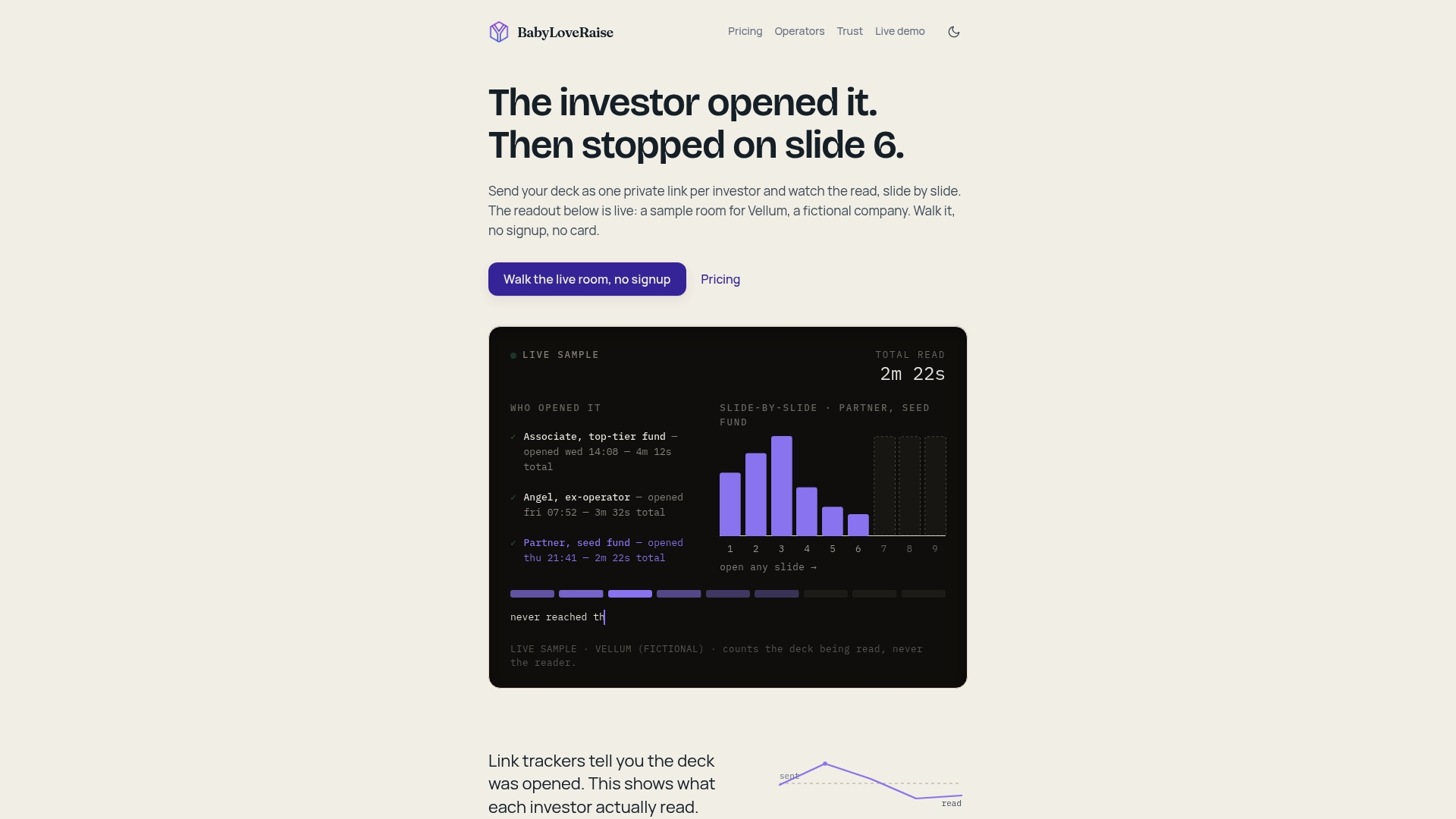
To see how engagement data feeds the download decision, read our guide on tracking investor engagement with your pitch deck.
Using engagement data to decide who gets a copy
Download permissions work best when they follow evidence. Here is what to look at before you flip the switch for a given investor.
- Did they read to the last slide? A full read is the strongest signal you have short of a reply.
- Did they return? A second open, especially days later, often means the deck was passed around or revisited before a meeting.
- Where did attention drop? If several investors skim the same slide, the problem is the slide, not the investors. Fix it before sending to the next batch.
- Did the link travel? If a forwardable link was opened by someone you didn’t send it to, that is normal and often good news. A partner at the firm reading it is progress.
Marketers use the same logic when they read content performance, and this overview of analytics for SaaS growth shows how teams turn raw activity into decisions. For deck-specific reading of that data, see our guide to pitch deck analytics for founders, and our notes on pitch deck notifications cover when to follow up.
A short setup checklist
Before your next send, run through this list.
- Trim the deck to what a first meeting needs. Move sensitive detail to a later-stage document.
- Upload to a hosted room instead of attaching a file.
- Set the first-send link to view only, with notification on first open.
- Create groups: first look, in diligence and advisors.
- Turn on watermarking for any download.
- Decide your trigger for allowing a download, such as finishing the deck or requesting a copy.
- Keep the financial model and cap table in a separate, tighter permission group.
- Check the activity log weekly during the raise, and revoke access for investors who have passed.
If you plan to keep the room alive between rounds, our note on treating your data room as an evergreen fundraising tool explains why.
FAQ
Should I let investors download my pitch deck?
Not on the first send. Start view-only, then allow a watermarked download once an investor has read the full deck or asked for a copy. This keeps early control while giving engaged investors the convenience they want.
Does a watermark stop someone from sharing my deck?
No. A watermark discourages sharing and makes any leaked copy traceable to the person who received it, but it cannot physically prevent copying. Pair it with limited access and an activity log so you can see who opened the file and when.
Is it safe to send a financial model as a download?
Only to a named person in active diligence, and preferably as a watermarked file with unneeded tabs removed. Many founders show the key outputs in the deck and keep the full spreadsheet in a restricted group, following the FTC’s advice to limit sensitive assets to those who need them.
Do I need an NDA before sharing my deck?
Most early-stage investors won’t sign one before a first meeting, so founders usually share a trimmed deck first and hold sensitive detail for later stages. If a specific disclosure raises legal questions, such as unpatented technology, talk to a startup attorney before you send it.
What happens to the room after my raise closes?
In BabyLoveRaise, the room converts to a free permanent archive, so you keep the record of what was shared and who opened it without a recurring fee.
Sources
- Virtual Data Room Security: Practical Best Practices
- Cybersecurity for Small Business, Federal Trade Commission
- How to Raise a Seed Round, Startup Super School
- Assessment of Access Control Systems, NISTIR 7316
- NIST SP 800-171 Revision 1 excerpt