
How to Prevent Pitch Deck Forwarding (and Know When It Happens)
You can't make a deck unforwardable, but you can control who opens it, see when a link travels and decide when forwarding is fine. Here's how founders do it.
November 8, 2026 · 10 min read

You can’t make a pitch deck impossible to forward. A person who can read a deck can describe it, screenshot it or paste the link into a message. What you can do is limit who can open the link, set it to expire, switch off downloads, and watch for signs that it traveled. Then you choose, investor by investor, whether forwarding is something to block or something to welcome.
This guide covers each of those controls. It also covers what a forwarded-link alert can and can’t tell you, when to send a forwardable link versus a private one, and the etiquette investors expect.
BabyLoveRaisebabyloveraise.comKnow When Your Deck Gets ReadBabyLoveRaise tracks first reads, slide engagement, and link activity in a hosted raise room, helping you follow up with actual readers.Explore the raise roomTL;DR
- A link tied to a named recipient, verified by login or a one-time email code, stops the casual forward. A link that works for anyone does not.
- Expiry, view-only permissions and download blocking narrow the window and the ways a deck can be copied. None of them is a guarantee.
- A forwarded-link alert shows that activity came from a new context. It does not prove who the person was.
- Use a forwardable link for first sends where an investor may need to show a partner. Use a private link once the deck holds numbers you want held close.
- Give every investor their own link, so you know which copy traveled.
Table of Contents
- Why founders worry about forwarding
- The controls that actually limit access
- Send a separate link to every investor
- Forwarded-link alerts: what they can and can’t tell you
- Forwardable link or private link?
- Etiquette: what investors expect
- A practical setup for a live raise
- Run your raise from one room
- FAQ
- Sources
Why founders worry about forwarding
A deck holds your traction, your pricing logic and the story of why you will win. Sent as a PDF or a shared-drive link, it leaves your hands entirely. You get no signal when it is opened, and none when it is passed on to a competitor, a former employee or a partner at a fund you never pitched.
Two different worries sit under the same question:
- Leakage. The deck reaches someone you would not have chosen.
- Blindness. The deck reaches someone you would have chosen, and you never find out, so you cannot follow up while interest is alive.
The controls below deal with the first worry. The tracking sections deal with the second. Most founders need both, because a forward that goes to the right partner is a good outcome you want to see.
The controls that actually limit access
General file-sharing platforms document a set of controls that map well onto a deck. Microsoft’s support pages are a clear public reference for how they work, and the same ideas apply in any sharing tool.
Link type decides everything
The most important choice is who a link works for. Microsoft says an “Anyone” link gives access to whoever receives it, forwarding included. By contrast, a “Specific people” link works only for the people named, and a forwarded invitation cannot be used by someone without access.

Microsoft’s documentation also explains that recipients without an account can be asked for a one-time email passcode, and that a forwarded link will not work for people who were not specified. For a founder, this is the closest thing to real prevention: the link only opens after the named person proves they control that email address.
The trade-off is friction. An investor on a phone between meetings may not want to fetch a code. We cover that below, and our guide on sending a deck without a login goes deeper on keeping the read easy.
Expiration dates
An expiring link limits how long a stray copy stays live. CISA’s draft baseline for a government cloud-storage configuration says that if “Anyone” links are enabled at all, their expiration should be 30 days or as policy requires, with permissions limited to view. That is a federal agency’s setting, not a fundraising rule, but the logic carries over: a link that dies after a typical decision window leaves less to leak.
One detail matters. Microsoft notes that an expired link affects the link, not the underlying file, and anyone who has access by other means can keep it. If you also shared a PDF by email, expiring the link does nothing to that attachment. Our piece on expiring deck links covers how to pick a window.

View-only and download blocking
Microsoft documents a Block download setting that stops recipients from saving the file. Pair it with view-only permissions and the deck stays on the page. Passwords and removing a link later are in the same toolbox.
What none of this guarantees
A reader can still photograph a screen, take screenshots or retype your numbers. Controls raise the effort and create a record. They do not make copying impossible, and any tool that claims otherwise is overselling. The sound approach is to decide what is truly sensitive and keep that out of the first-send deck.
Send a separate link to every investor
One shared link for everybody is the weakest setup, because a view tells you nothing about who viewed. A unique link per recipient gives you attribution. Founder guidance such as Ash Rust’s quick rules for sharing decks supports sending a link rather than an attachment and using a unique link for each recipient.
Unique links give you three things:
- You know which investor’s copy was opened.
- You can revoke one link without disturbing the rest.
- When a link shows unexpected activity, you know whose copy it was.
This is the approach our pitch deck access control guide walks through for a live raise.
Forwarded-link alerts: what they can and can’t tell you
A forwarded-link alert fires when a link sees activity that does not look like the person it was sent to. Depending on the tool, that could be a new email verification, a different device or location, or a view after the original recipient’s session.
Be realistic about what that means. Tracking researchers note that a click on a personalized link ties activity to the original recipient’s token but does not prove identity, and that major email tools may attribute forwarded activity to the original recipient rather than a separate reader. An alert is a prompt to look, not proof of a leak.
Here is how to read the signals sensibly:
| Signal | Likely meaning | What to do |
|---|---|---|
| Second visit days later, same device | The investor is rereading | Follow up with a useful next step |
| Several views in one afternoon from a new location | Possibly shared with a partner or colleague | Ask whether they would like to bring someone to the next call |
| Read to the last slide, no further activity | Likely a pass or a wait | Send a short, specific update, not a nudge |
| Never opened | Unread, not rejected | Resend by a different route or ask for a better address |
Notice that none of those responses accuses anyone. Our posts on tracking deck opens and turning reopens into timing show how to turn each pattern into a follow-up.
Forwardable link or private link?
The right answer depends on the stage of the conversation and on what the deck contains.
| Situation | Link to send | Why |
|---|---|---|
| First send to a cold or warm intro | Forwardable | An associate often needs to pass it to a partner. Blocking that stalls you. |
| Investor has asked for more detail | Private, named recipient | The deck now holds metrics you want controlled. |
| Data-heavy follow-up or financials | Private, expiring, download off | The most sensitive material gets the tightest setting. |
| Advisor or accelerator sharing on your behalf | Forwardable with its own link | You can see how far it traveled. |
The reasoning is simple. In early outreach, the investor’s internal circulation is how a yes happens, since a single associate rarely decides alone. Making that hard costs you more than a leak would. Later, when the deck contains numbers you would not want a competitor to see, tighten the link. We explain the three tiers in investor deck confidentiality without an NDA and the private end in our guide to private pitch deck links.
Etiquette: what investors expect
Norms are informal, but a few are widely shared:
- Send a deck when asked. Founder guidance says you need not send a deck merely to get an introduction, but you should send something when a prospective investor requests it (Ash Rust).
- Expect internal forwarding. Investors share decks inside their firm. Say so plainly if you prefer otherwise: “Happy for you to share with your partners; please check with me before sending outside the firm.”
- Do not make the investor jump through hoops on a first read. A password wall on a cold send often costs the read.
- Do not interrogate a forward. If an alert shows a new viewer, treat it as interest. Ask whether a colleague would like to join the next call.
- Keep the sensitive material for later. Detailed cohort data and the cap table belong in a second, tighter share after real interest.
Nothing here replaces legal advice. If your deck contains genuinely confidential technical detail, talk to your startup attorney about what to disclose and when.
A practical setup for a live raise
- Build a lean first-send deck with no information you would regret seeing in a competitor’s inbox.
- Create one link per investor. Name the link after the firm so alerts are readable.
- Set the first link to forwardable, view-only, and set an expiry that covers a realistic decision window.
- Watch for the first read and for reopens. Follow up when someone returns, not on a fixed schedule.
- Tighten for round two. Move interested investors to a private link with downloads off and a shorter expiry.
- Close the room when the round closes. Turn off links you no longer need.
If you also want to plan which slides carry the weight, see our notes on slide order and overall deck strategy.
On the technical side, a managed-IT team’s overview of secure methods for sharing business files is a useful companion when your deck sits alongside broader documents such as a data room folder.
What we think
We built BabyLoveRaise around one belief: the problem with forwarding is not that decks travel, it is that founders can’t see them travel. A deck that reaches a second partner is often the best news in a raise, and a founder who cannot tell it from silence loses the moment to act.
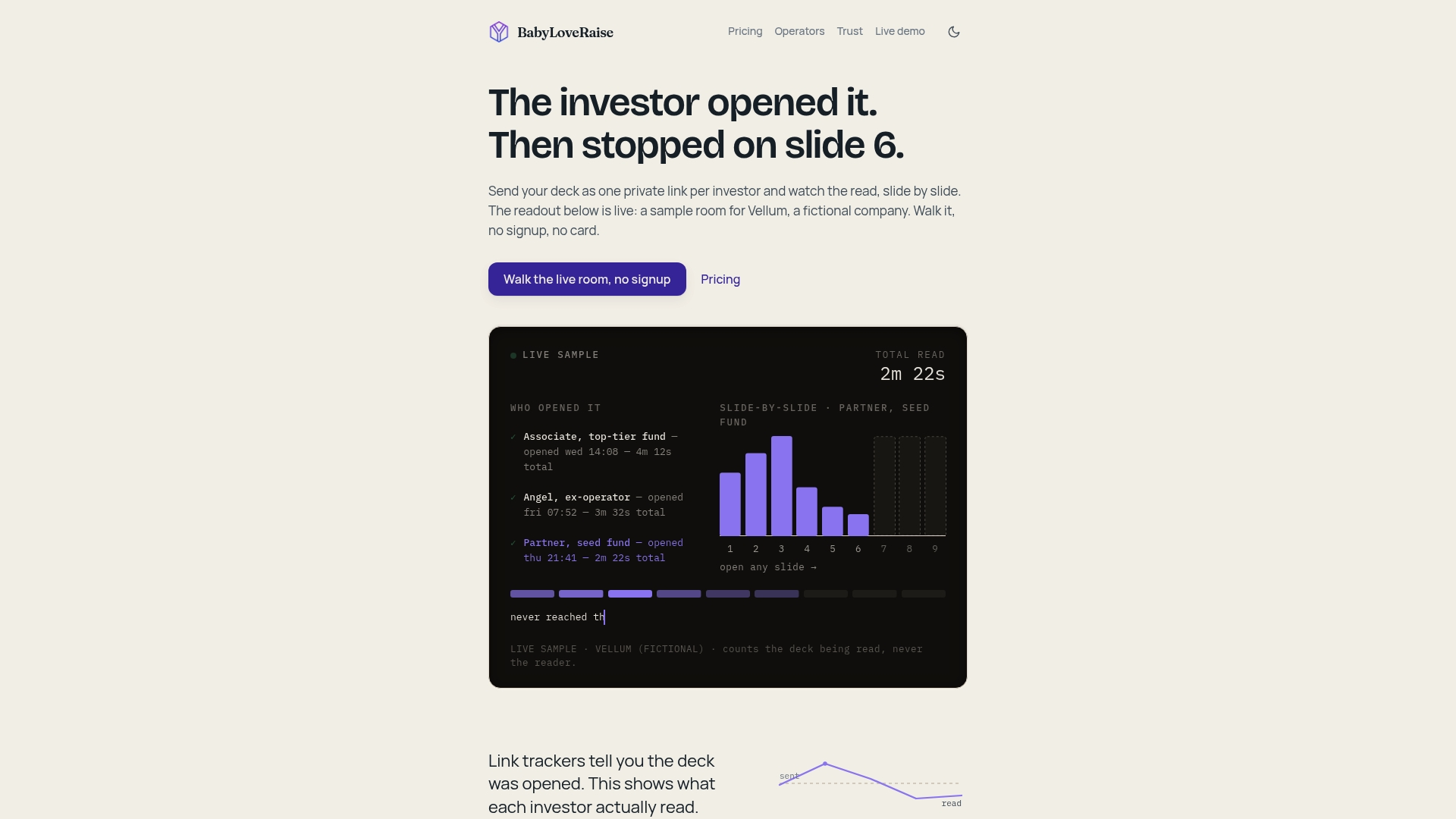
So our rooms give each send its own link in one of three registers: first send, forwardable, or private. They notify you on the first read and record per-slide engagement, so you can tell an unopened deck from a read-and-passed one. We report on the document, not on the person, and we think that is the honest line for tracking.
Downloads can carry a measured watermark, and when your raise closes the room becomes a free permanent archive. We price per raise, not per seat forever, because a raise has an end.
Paul
Run your raise from one room
The raise room gives you per-investor links, first-read notifications and per-slide engagement in one place. It is $149 per month or $399 per quarter, and a draft room is available if you’re still preparing. Advisory firms running several client raises can look at the operator plans. See BabyLoveRaise pricing for the details.
Firms that manage many founders can see the operator seat options, and our trust page explains how we approach tracking.
FAQ
Can I completely stop an investor from forwarding my deck?
No. You can bind a link to a named recipient who must verify by login or one-time code, which stops a simple forward of the link. A reader can still describe the deck or screenshot it. Keep your most sensitive figures out of the first send.
Will I know if someone forwards my deck link?
Often you will see activity that looks different from the original recipient, such as a new device or a repeat view. That is a signal, not proof of who the person is. Treat it as a reason to reach out kindly, not to accuse.
Should I require a password on my first send?
Usually not. A password on a cold send adds friction at the moment you most want a read. Save passwords and verification for the second round, when the deck holds more sensitive detail.
Does expiring a link remove the deck from the investor’s hands?
Not entirely. Expiry ends the link, but it does not recall a PDF or a screenshot already taken. That is why sending a link instead of an attachment matters.
Sources
- Share files and folders in Microsoft OneDrive (Microsoft Support)
- External or guest sharing in OneDrive, SharePoint, and Lists (Microsoft Support)
- How shareable links work in OneDrive and SharePoint (Microsoft Learn)
- Microsoft OneDrive for Business M365 Minimum Viable Secure Configuration Baseline, draft (CISA)
- How to Track Forwarded Emails (and Why You Usually Can’t)
- Quick Rules for Sharing Pitch Decks by Ash Rust
- Managed secure file sharing methods (Collett Systems)